Dictation on a Mac, compared with Deixis
Most of the dictation tools worth comparing were built for the Mac, and the Mac is where a new one has the most to prove. These pages take one tool each and set it beside Deixis on the same machine: where your speech is recognised, what leaves your Mac and when, what it costs, and what you would give up by switching. Every fact about the other tool is dated and linked to the page it came from.
On a Mac, Deixis is dictation at the caret on one key, Ctrl+Option, with the speech recognised on
the Mac itself and no account to make. Double-tap the key for free mode, grab and annotate the
screen, or record it. Meetings, translation and custom buttons are on Windows today, not yet on the
Mac, and each page says so wherever it matters to the choice.
On a Mac
One page per tool
MacWhisper transcribes your files. Deixis types where your cursor is.
MacWhisper is a transcription app first. Deixis is dictation first: hold Ctrl+Option on your Mac and clean text lands at the cursor, free, no account.
Superwhisper or Deixis on your Mac: the models, the price and what leaves
Superwhisper puts its AI modes and every language model on Pro. Deixis tidies your dictation on your Mac for free, and never sends your window title.
Wispr Flow, or dictation your Mac keeps to itself
Wispr Flow transcribes in the cloud and, on a Mac, can send a screenshot with each dictation. Deixis dictates on your Mac itself, free, with no account.
VoiceInk or Deixis, two local dictation apps for your Mac
VoiceInk and Deixis both recognise speech on your Mac. VoiceInk is $25 and needs macOS 14.4; Deixis is free for everything local and runs on macOS 13.
Apple Dictation, and what Deixis adds on the same Mac
Apple Dictation is free and built into your Mac. Deixis adds tidier text on any Apple silicon Mac, your own words, and grabs and recording on one key.
Willow Voice, or the same hotkey with the cloud left out
Willow Voice dictates through its cloud unless you pay for offline mode. Deixis recognises speech on your Mac for free, with no account and no weekly cap.
Aqua Voice, or dictation that works with the Wi-Fi off
Aqua Voice says it has no offline mode and gives you 1,000 free words. Deixis recognises speech on your Mac itself, free, with no account and no meter.
What you get
More than dictation, on your Mac.
Hold Ctrl+Option and speak, or press a letter while you hold it: free mode, a grab, a screen recording. All of it on your Mac, all of it free, none of it behind an account.
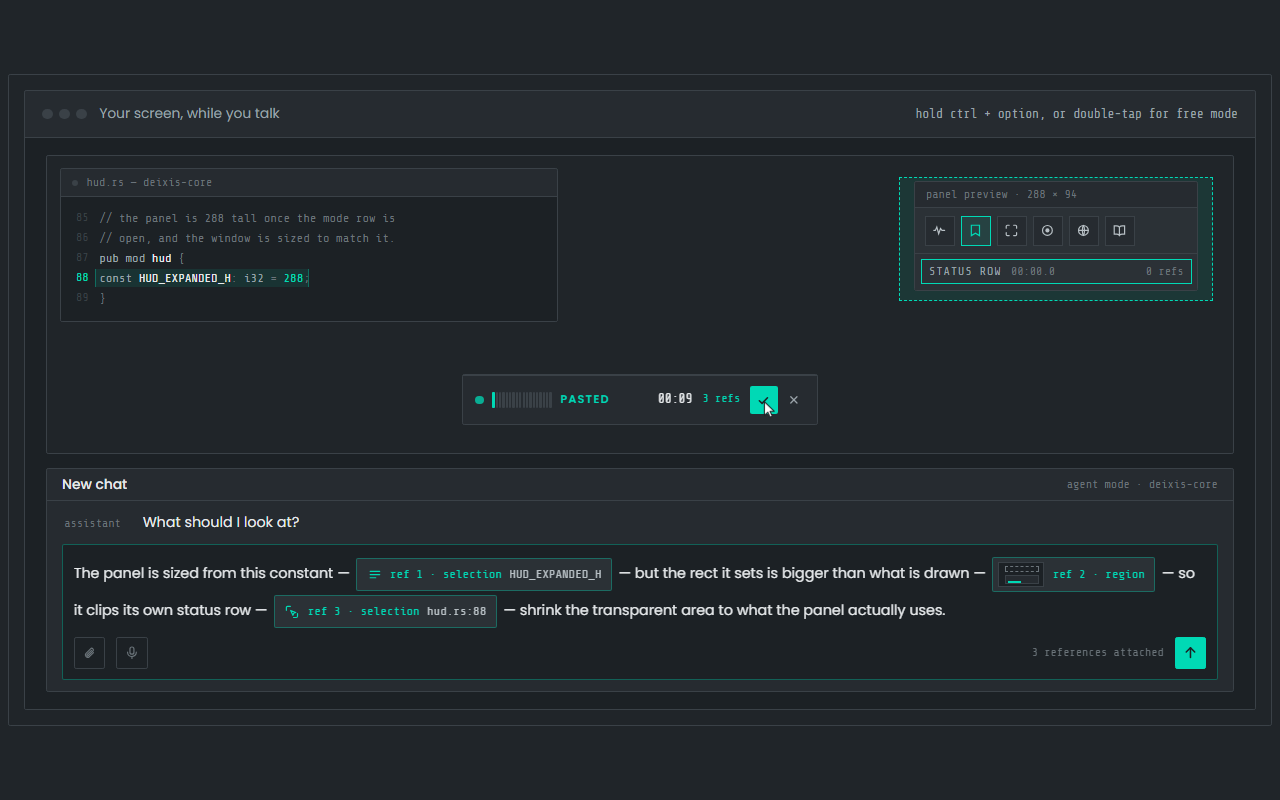
Dictation, where your cursor is
Hold Ctrl+Option, speak, release. Clean, punctuated text lands in whatever app has focus on your Mac, with your clipboard handed back.
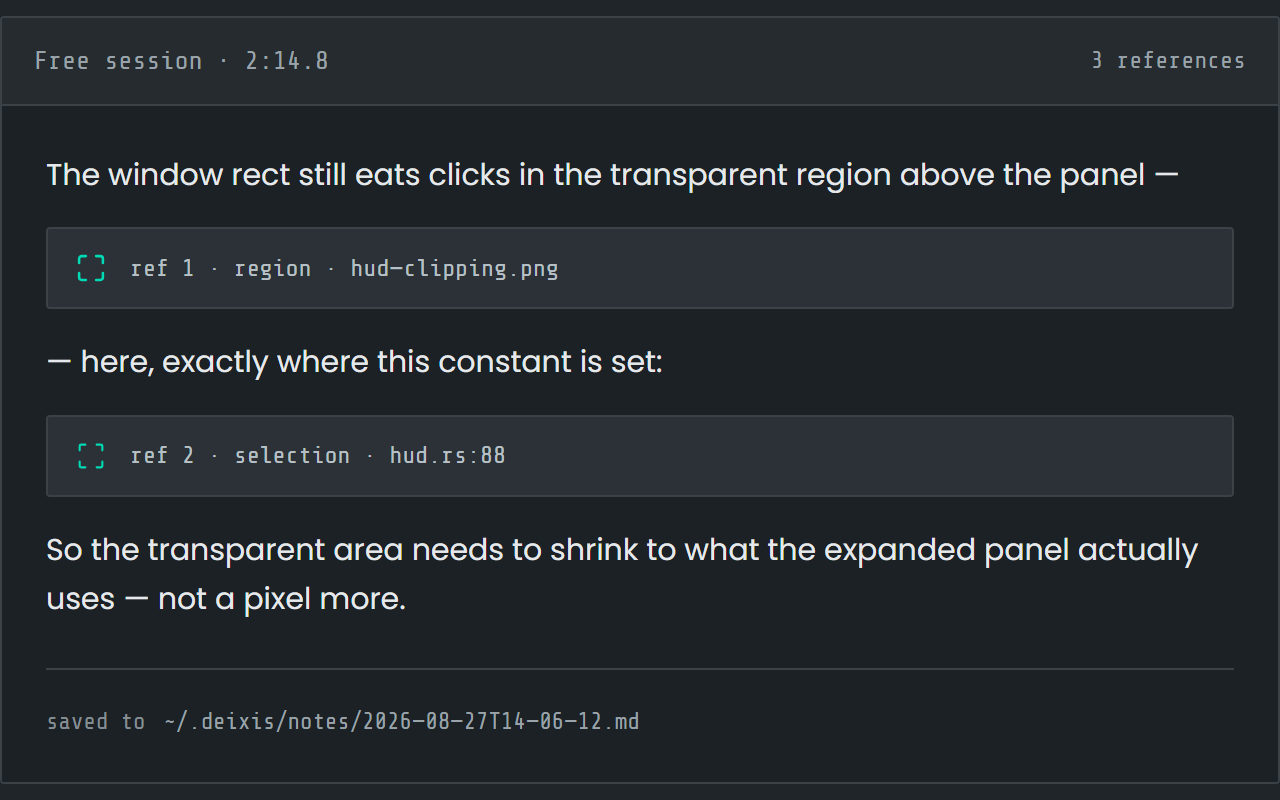
Free mode: talk and point
Double-tap the chord and narrate for as long as you like while you grab a region or take a selection. One note, what you said interleaved with what you pointed at, pasted where you finish and saved as Markdown.
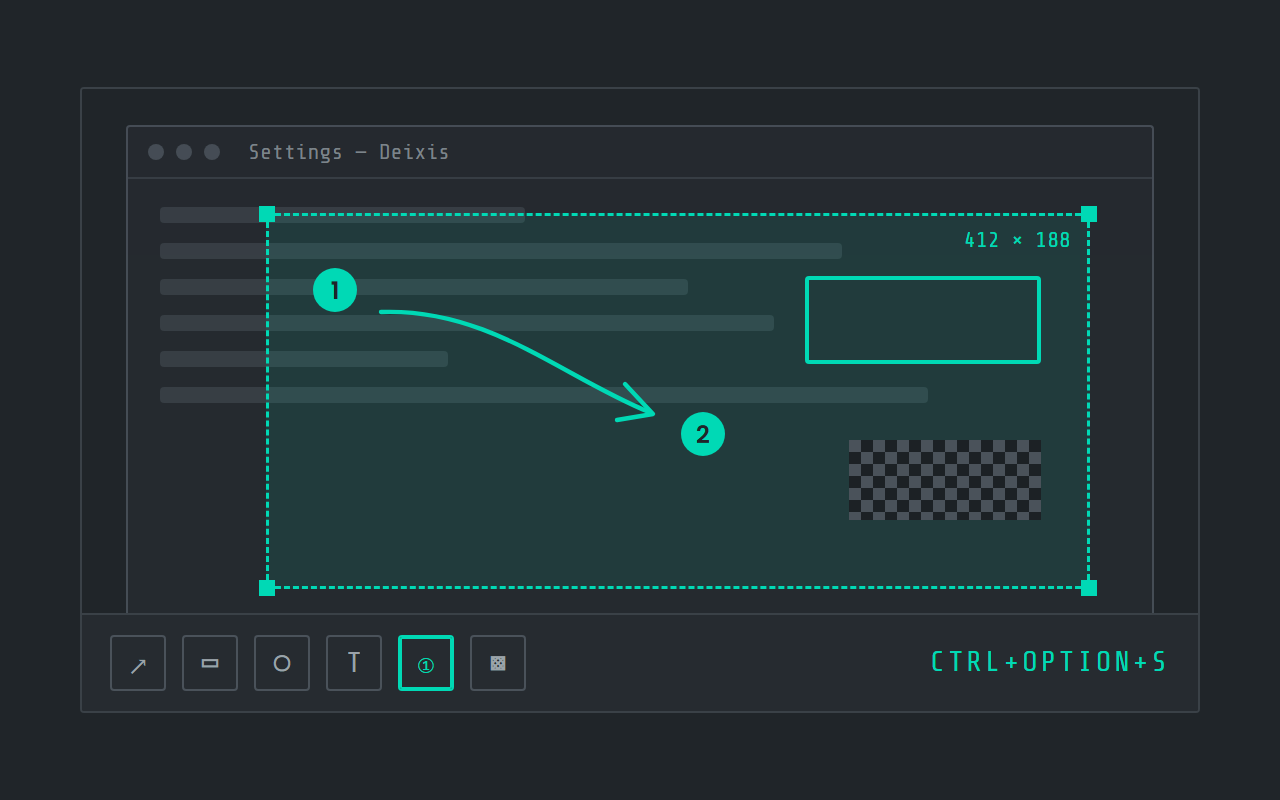
Screen grabs, annotated
Freeze the screen at the keypress, drag a region, add arrows, boxes, text and numbered steps, and pixelate what is private. Saved as a PNG in a folder you own.
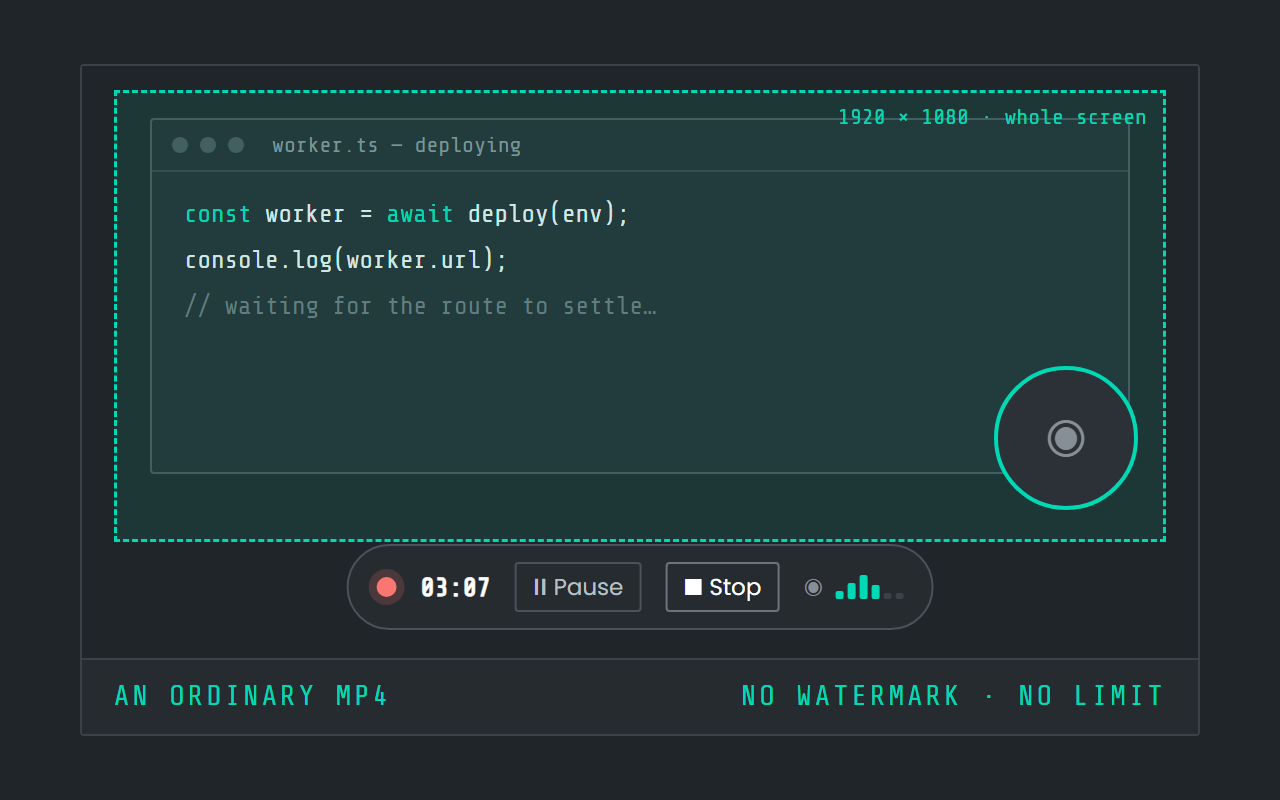
Screen recording
Record the screen, pause when you need to, and stop. The video is a file in a folder on your Mac, not in somebody else's cloud.

Hold a key. Speak. Keep working.
Deixis is free, needs no account, and runs on your own device.
v1.2.2 · 64‑bit Windows 10/11 · macOS 13 on Apple silicon · 51 MB · nothing else to install · also for Windows