Voice typing for your whole team, on one invoice
Your developers already talk to their tools all day: prompts to Claude Code and Cursor, ticket
descriptions, review comments, the message that explains why the build broke. Deixis lets them say
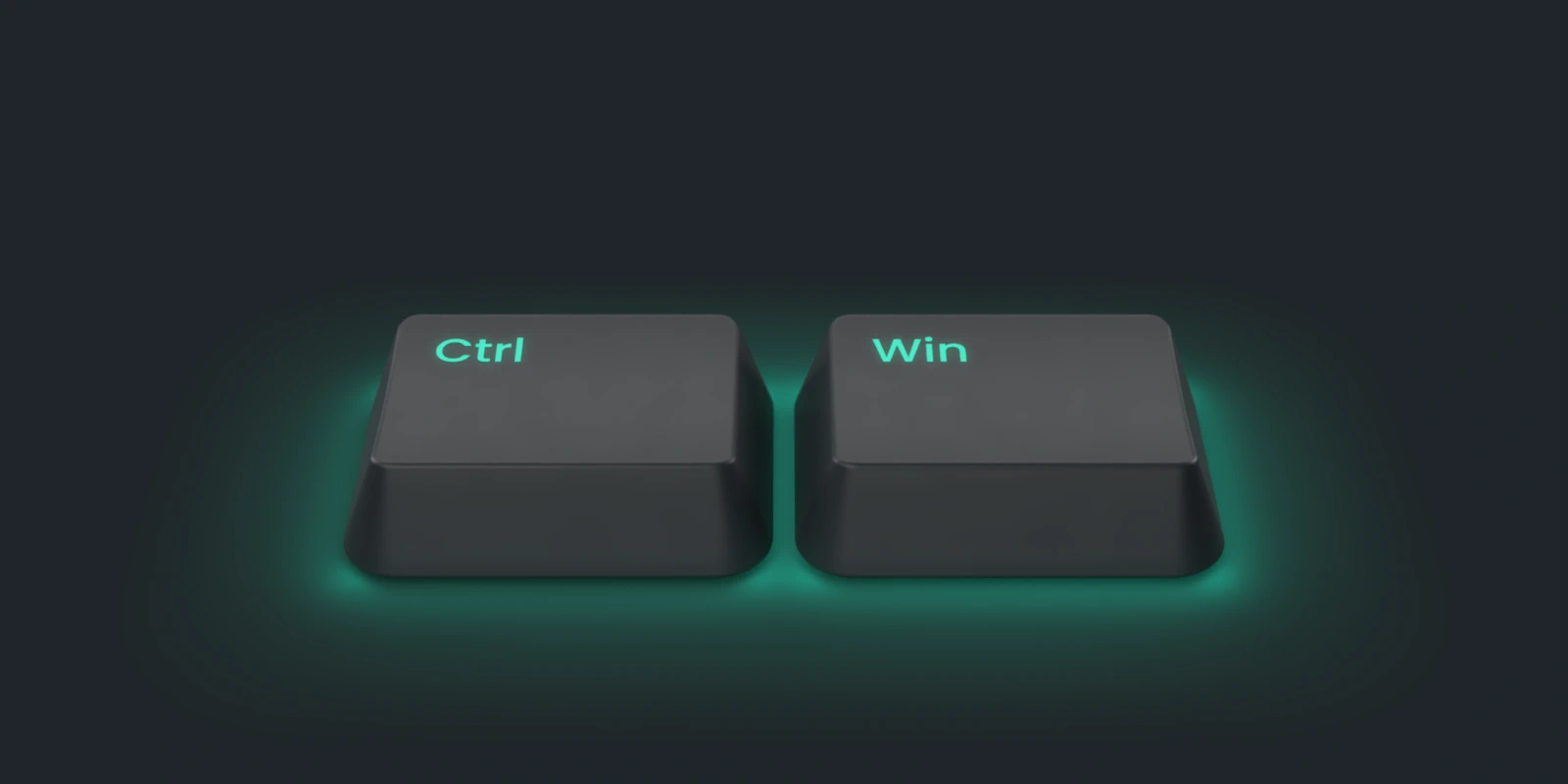
it instead of typing it. Hold Ctrl+Win (Ctrl+Option on a Mac), speak, let go, and clean text
lands wherever the cursor is, in the editor, the terminal, Slack or the browser. The speech
recognition runs on each person's own computer, so the voice stays there, unless someone chooses to dictate on the cloud while their first speech model downloads.
Free, with no account and no sign-in.
Deixis is made by Dappit, a software company in South Africa, and it was built for our own developers first. This page is for the person who runs a team like ours: what you would be paying for, what you would not, and how to get everybody on it.
What is free for everybody, with no seat
Be clear about this before anything else, because it is most of the product. Everything Deixis does on a person's own computer is free, forever, with no account:
- dictation at the cursor in any app, cleaned up by local rules;
- free mode, which mixes what you say with what you point at into one note;
- screen grabs with annotation, and screen recordings to MP4;
- meetings recorded and transcribed on the machine, on Windows;
- the dictionary, all five vocabulary packs including Software development, and your own packs;
- custom buttons and webhooks to your own URLs.
A developer who wants the cloud features can also have them for nothing, on their own AI provider's key: the requests go on their key and their provider's bill, and nobody needs an account with us. That is a supported path, not a loophole.
So a team of twenty can install Deixis today and pay nothing. Plenty will.
What a seat buys
A seat is the managed half: the cloud features run by us, with no keys to issue, rotate or pay for person by person.
- Cloud cleanup, translation and meeting notes, with nothing to set up. Cleanup turns a rambling sentence into punctuated prose and knows a commit message from an email, because the app and field name go with the words. Translation works on any selection. Meeting notes, titles and recording summaries are written for you.
- Share links for a screen grab, a note or a screen recording. A bug reproduced once and narrated becomes a link in the ticket.
- Team words. An owner or admin keeps one list of the names nobody's recogniser has heard: clients, products, repos. Each word can carry the spellings it is misheard as, and every member's Deixis uses the list, behind the person's own dictionary, so those words come out right for everybody without each person teaching them. It applies while a member is covered, by a seat, their own Pro or the trial.
- Links only your team can open. Share into the team, and only its members can open the link, each proving who they are with a code to their own inbox. It does not leak by being forwarded.
- One invoice, managed in one place. An owner or admin buys the seats and changes the count. Somebody on a team seat needs no subscription of their own, and somebody who already pays for their own keeps it and is not charged twice.
Two controls come with the team itself, and they are the ones a security review asks about:
- Cloud features off, for everybody. An owner or admin flips one switch on the Team page, and from then on no member's Deixis sends text to the cloud model, whatever key they hold. Local models and the rules keep working. The service refuses managed requests from the team's members as well, so the setting holds even on a machine that has not heard about it yet.
- Text processed in the EU only. An owner or admin can require it for every member: every cloud request then goes to Google's Gemini in the EU multi-region and nowhere else.
What leaves a machine, and when, is one table: what leaves your machine. The voice of a dictation is on it only for a first run that chooses to dictate on the cloud while the speech model downloads, and an owner or admin who requires EU processing rules even that out.
The price
$49 a seat a year, or $10 a seat a month, the same as one person's Pro, whatever the team's size. The app shows the team's total before anything is charged, and nothing is charged until an owner or admin confirms it. Prices are in US dollars, before local sales tax or VAT, which is added at checkout where it applies. Deixis is sold through Polar as merchant of record, so the receipt comes from them.
A seat is taken by a member or by an invitation that is still open. Invite past the seats you have bought and the app says what the new count will cost and asks first. Confirm, and the rest of the current period is charged pro rata; cancel, and nothing is charged and nobody is invited. Somebody leaving frees their seat for the next person rather than shrinking the bill behind your back, and an owner or admin can lower the count on purpose.
Before you buy anything, anybody on the team can try the cloud features: seven days, started from the app with an email address and a six-digit code, with no card and nothing to cancel.
Bringing the team on
An afternoon, most of it waiting for downloads.
- Everybody installs Deixis. On Windows the installer is per user, with no administrator prompt, about 62 MB, then the speech models download once on first launch: about 607 MB for English. On a Mac it is a disk image dragged to Applications. There is a page for the first five minutes, from the installer to a first dictation.
- One person makes the team. Sign in, open the account menu at the top right, choose Teams, and give it a name. You are its owner.
- Invite people by email. Each invitation stands for 14 days. The person accepts from the link in the mail, which sends a code to their address, or from the Team panel in their own copy of Deixis, where invitations to their account are waiting.
- Choose who helps run it. An admin can invite and remove members, revoke any link shared into the team and switch the team's cloud features off. A member shares into the team and opens what is shared with it.
- Buy seats when you are ready. An owner or admin picks yearly or monthly and a seat count under Teams, and the checkout opens in the browser. If you already pay for yourself, the Team panel offers to move your own subscription onto the team instead of selling you a second one.
Rolling it out with your own model, or a server inside your own network for cleanup and notes? Write to support@deixis-voice.com. We would rather hear what you need than quote you a package.
Who it suits, and who it does not
It suits a team whose people write a lot to tools and to each other: agents, tickets, reviews, chat. It suits a firm that has to answer for where its clients' words go, because the voice stays on the machine and the cloud can be switched off for everybody in one place.
It does not suit a team on Linux, where Deixis does not run. And if every developer is happy bringing their own provider key, the team may need no seats at all: cleanup, translation and notes are theirs already on that key, and what they would miss is the share links and the team's words.
What you get
More than dictation. One key, and everything behind it.
Hold the key and press a letter: free mode, a grab, a meeting, a recording, a translation, your own buttons. All of it on your own device, all of it free, none of it behind an account.
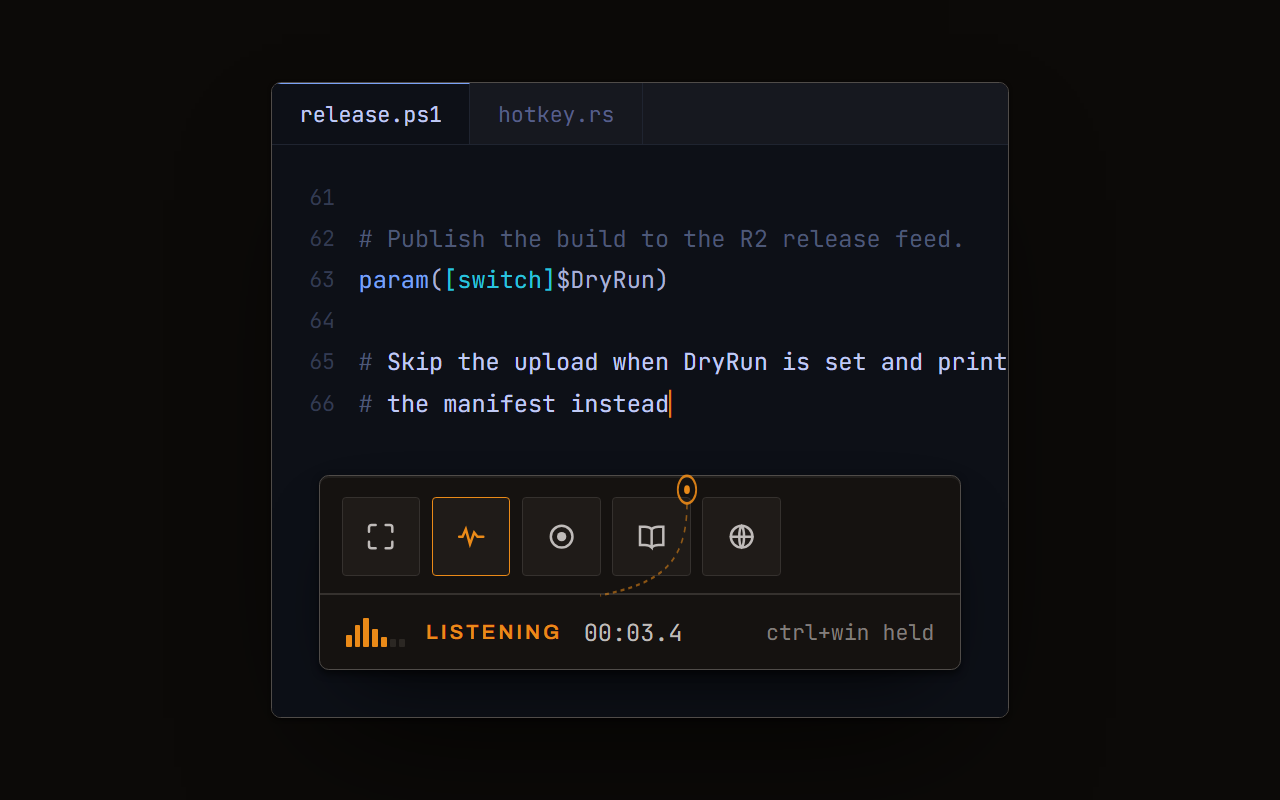
Dictation, where your cursor is
Hold a key, speak, release. Clean, punctuated text lands in whatever has focus, on your PC, your Mac and your phone, with your clipboard handed back.
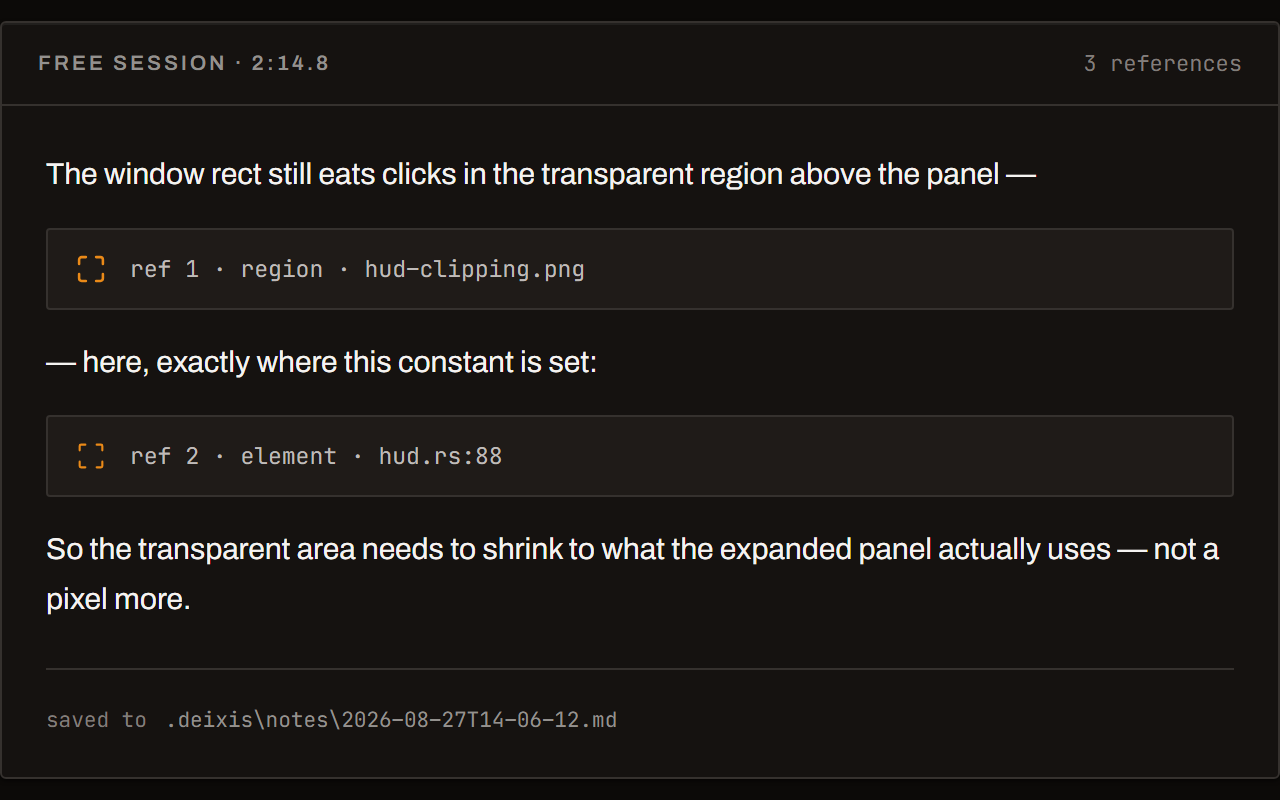
Free mode: talk and point
Narrate for as long as you like while you grab a region, pick a button on screen or take a selection. One note, what you said interleaved with what you pointed at, pasted where you finish and saved as Markdown.
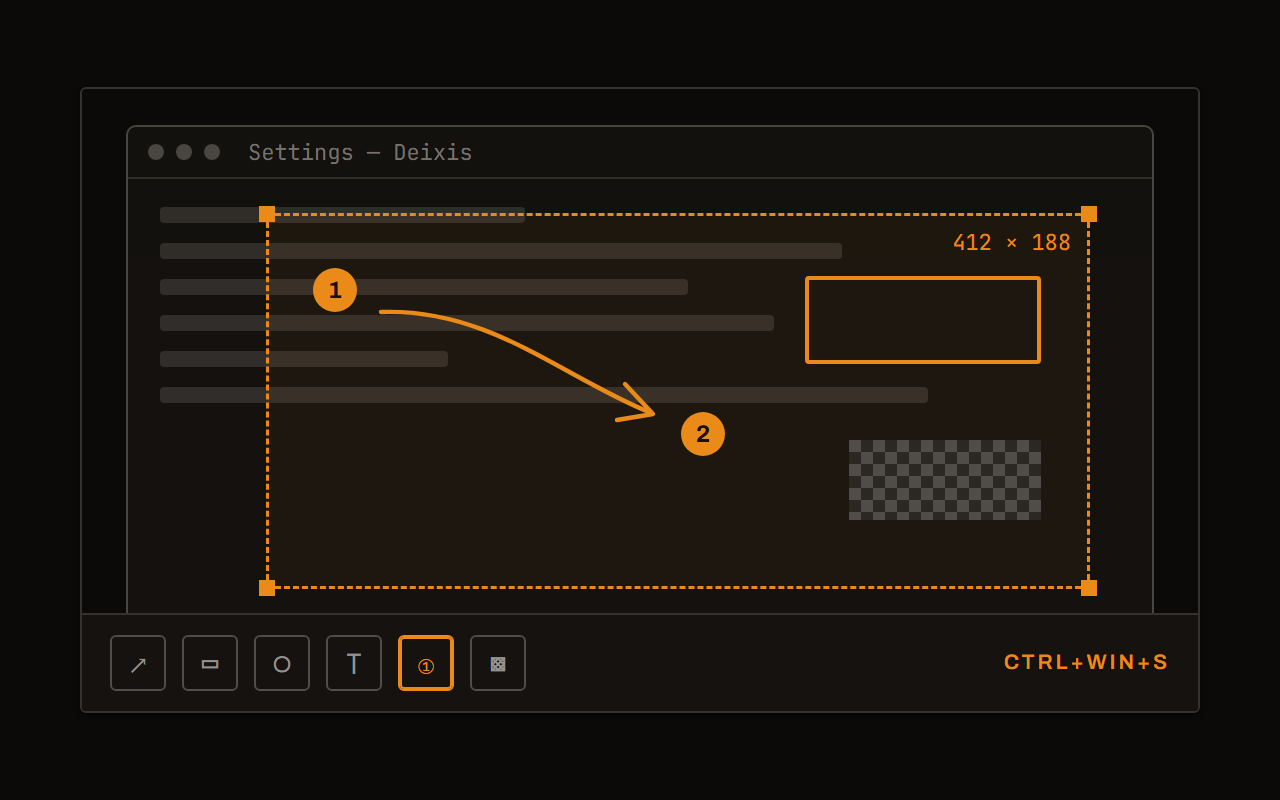
Screen grabs, annotated
Freeze every screen at the keypress, drag a region, add arrows, boxes, text and numbered steps, and pixelate what is private. Saved as a PNG that stays editable.
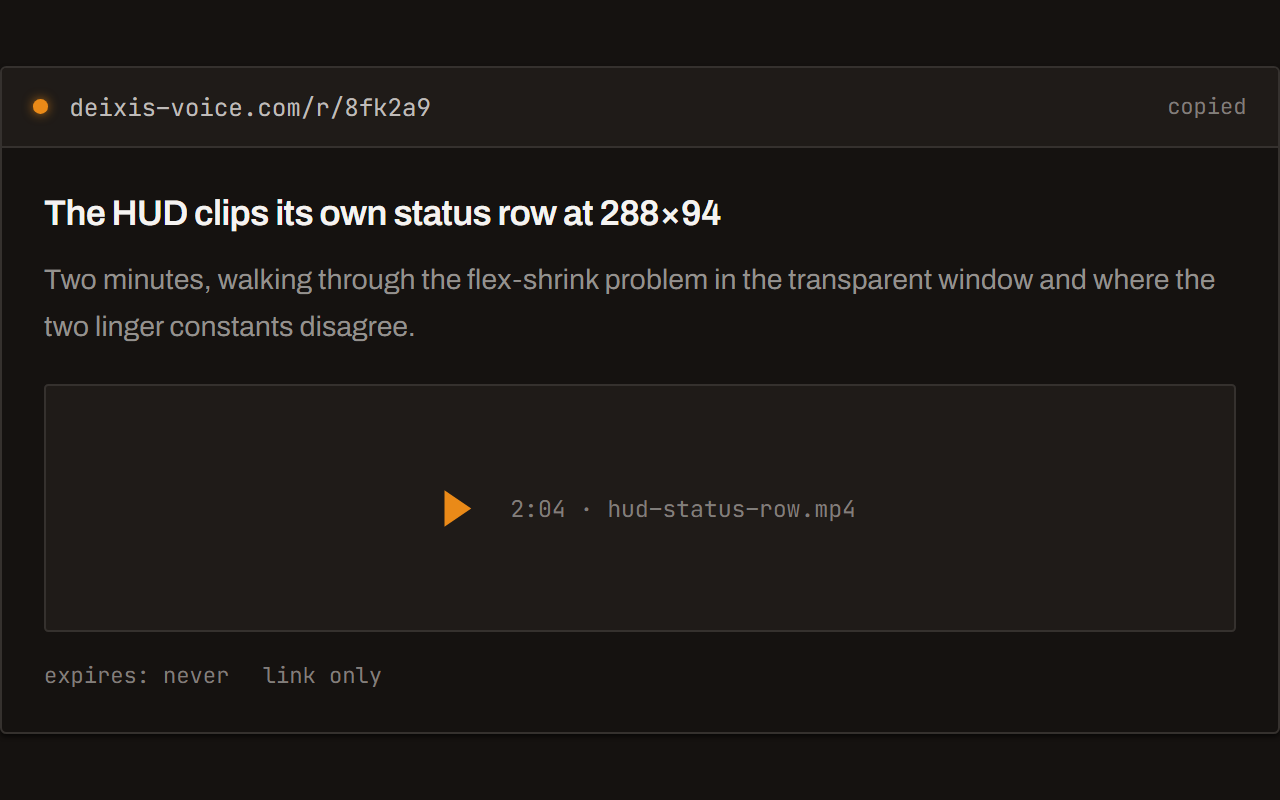
Screen recording, shared as a link
Record the screen with your narration. The recording writes itself up with a title, chapters and a summary, and from your Deixis account it shares as a link anyone can open without one. The Loom you can stop paying for.
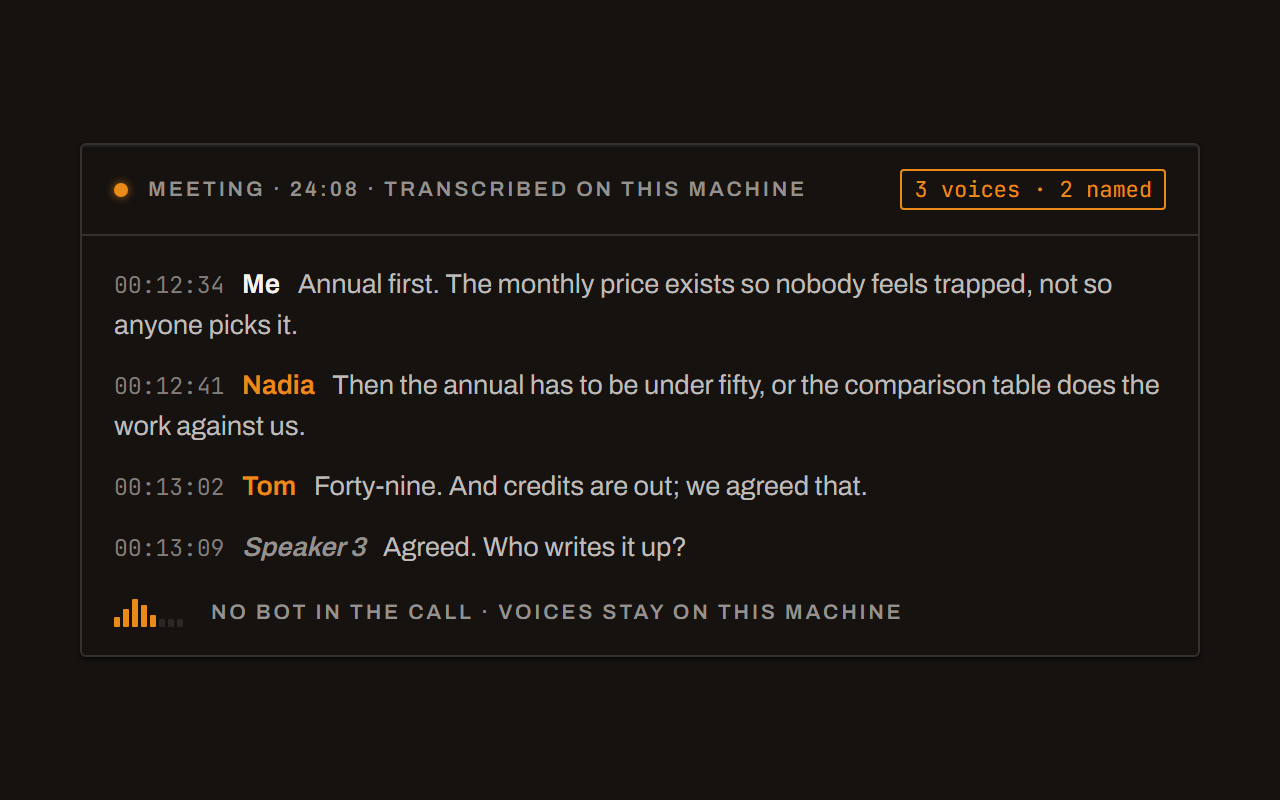
Meetings, no bot, names included
Your microphone and the other side, transcribed on your machine while the call runs. Deixis tells the voices apart and remembers the ones you name, and never uploads a voice.
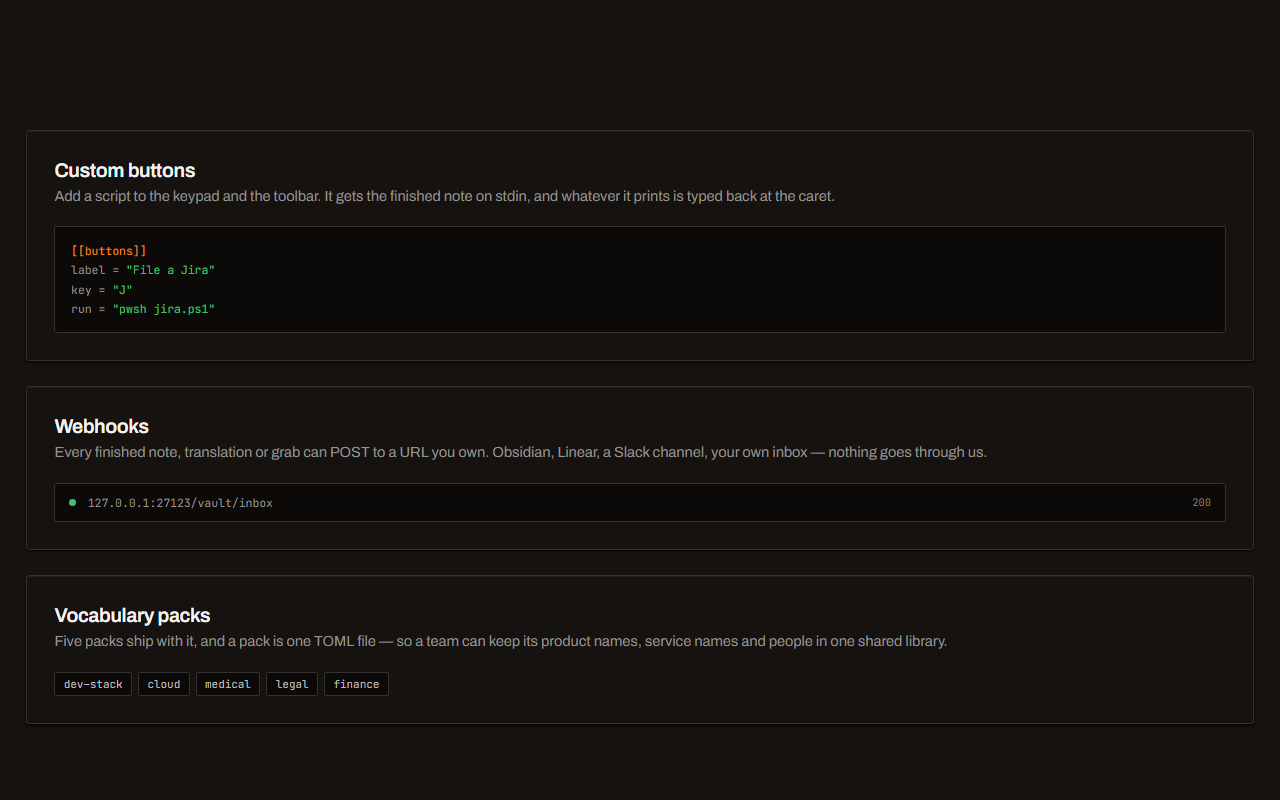
Your own buttons and workflows
Add a button to the palette: it gets the note on stdin and types back whatever it prints. Send finished notes to any URL you own. Chain steps: read the text off a screenshot, translate it, summarise it, post it.
Before you ask
Questions people search for
Does every person need a seat to use Deixis?
No. Dictation and everything else that runs on the computer is free with no account. A seat is only for the managed cloud features and share links, and only for the people you want covered.
Can we try it before we buy seats?
Yes. Each person can start a seven-day trial of the cloud features from the app with an email address and a code. No card, and nothing to cancel when it ends.
What happens to someone's work when they leave the team?
Their notes, recordings, grabs and meetings are files on their own computer and stay there. Leaving frees their seat. An owner or admin can revoke any link that was shared into the team.
Can we stop Deixis sending anything to the cloud?
Yes. An owner or admin turns cloud features off for the whole team on the Team page. Dictation, the rules cleanup and any model on your own machines keep working.
Who do we pay, and in what currency?
Polar, our merchant of record, in US dollars, with local tax added at checkout where it applies. The receipt comes from Polar.
Keep reading
Related pages
Best dictation software for Windows
Fifteen Windows dictation tools compared, every fact dated from the maker's own pages — including what our own tool cannot do. Read the disclosure.
Offline dictation on Windows
Dictation that works with no internet: speech recognition on your own device, free, no account. Which Windows speech-to-text tools genuinely run offline.
Free voice to text on Windows that types where you are
Free dictation for Windows that types into any app: hold a key, speak, and punctuated text lands at your cursor. Recognition runs on your own processor.
Voice input for your product, on your user's own computer where it can be
Voice input for your web app in three lines. With Deixis running and connected to your site, audio stays on the computer; otherwise, a cloud route says so.
The first five minutes, from the installer to your first words
From the Deixis installer to your first dictated sentence in another app, then one more thing worth trying. Windows and Mac, with no account.
What you are downloading
This is Deixis, a desktop app for Windows.
The Download button hands you a signed Windows installer, Deixis_<version>_x64-setup.exe, published by Dappit — Windows names the publisher before it runs. There is no bundled extra software and no toolbar. Deixis needs no account to install, and none of what it does on your own PC is behind a sign-up. What it runs on.
It installs for your account alone, with no administrator prompt, and starts with Windows until you switch that off in Settings → Startup. On a PC without Microsoft’s WebView2 runtime, which Windows 11 already has, the installer fetches it from Microsoft. How to uninstall it · The licence · Privacy policy · Terms of service · support@deixis-voice.com
Hold a key. Speak. Keep working.
Deixis is free, needs no account, and runs on your own device. Everything on this page is in the current release.
v1.3.2 · 64‑bit Windows 10/11 on Intel or AMD · macOS 13 on Apple silicon · 51 MB · nothing else to install · also for Windows · Android on Google Play
Everything on this page about Deixis is from its documentation for the current release. Something out of date? Tell us.