Dictation for the apps you use on a Mac
One page per app you write in on a Mac, and the same one key for all of them. Hold Ctrl+Option,
say the prompt, the message or the note, let go, and clean punctuated text is typed where your
cursor was, with your clipboard handed back. Deixis is not an extension for any of these apps; it
types into whichever one has focus, so the key that dictates your agent prompt is the key that
dictates your commit line and your reply in the team chat.
Each page shows what changes by field: a commit line is punctuated as a line, a chat reply as a message, a note as prose, because the name of the app and of the field goes with the text when cleanup runs. The speech itself is recognised on your Mac and never leaves it.
Dictation for, on a Mac
One page per tool
Dictation for Claude Code on a Mac
Hold Ctrl+Option and speak your Claude Code prompt in Terminal, iTerm2 or your editor. Recognised on your Mac, audio never leaves it, no account.
Dictation for Cursor on a Mac
Hold Ctrl+Option and speak into the Cursor agent prompt, a rules file or the terminal pane. Recognised on your Mac, no account, free.
Dictation for VS Code on a Mac
Hold Ctrl+Option to dictate into VS Code chat, comments and the terminal, then into every other app on your Mac. Recognised on the Mac, no sign-in.
Dictation for Terminal and iTerm2 on a Mac
Hold Ctrl+Option and speak into Terminal or iTerm2 on your Mac. Agent prompts, commit messages and heredocs, recognised on the Mac, with no account.
Voice dictation for Obsidian on a Mac
Hold Ctrl+Option and talk into any Obsidian note on your Mac. No plugin, speech recognised on the Mac itself, and Markdown notes you own. Free.
Dictation for Slack on a Mac
Hold Ctrl+Option and speak into Slack on your Mac: replies, threads, DMs and canvases. Speech recognised on the Mac, with no account and no admin.
What you get
More than dictation, on your Mac.
Hold Ctrl+Option and speak, or press a letter while you hold it: free mode, a grab, a screen recording. All of it on your Mac, all of it free, none of it behind an account.
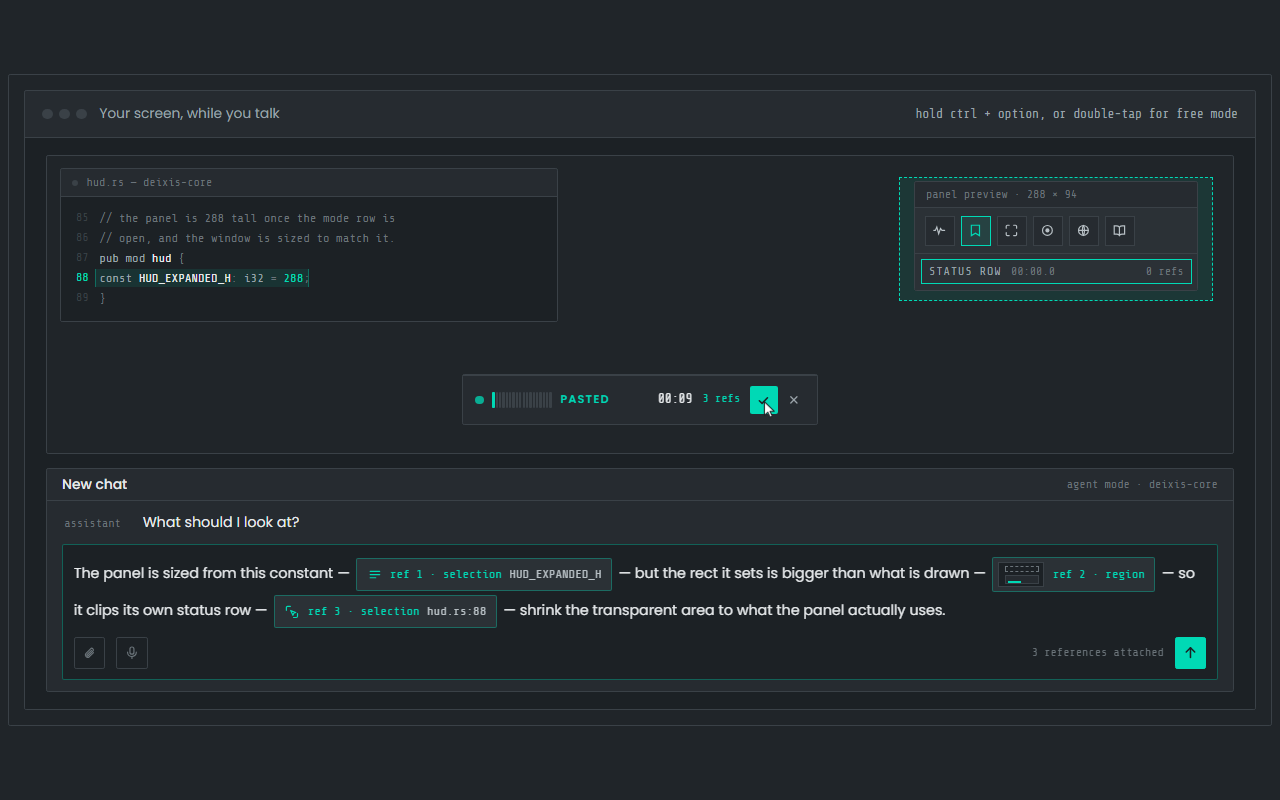
Dictation, where your cursor is
Hold Ctrl+Option, speak, release. Clean, punctuated text lands in whatever app has focus on your Mac, with your clipboard handed back.
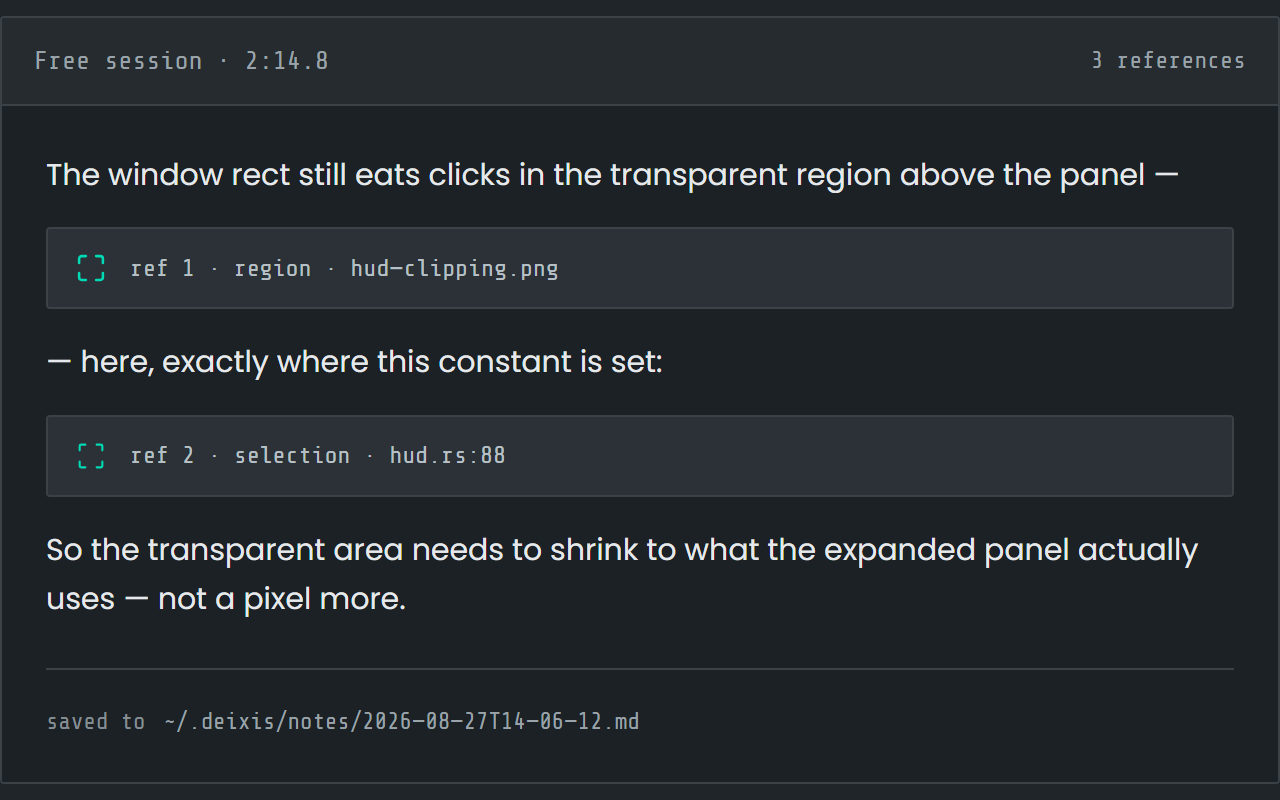
Free mode: talk and point
Double-tap the chord and narrate for as long as you like while you grab a region or take a selection. One note, what you said interleaved with what you pointed at, pasted where you finish and saved as Markdown.
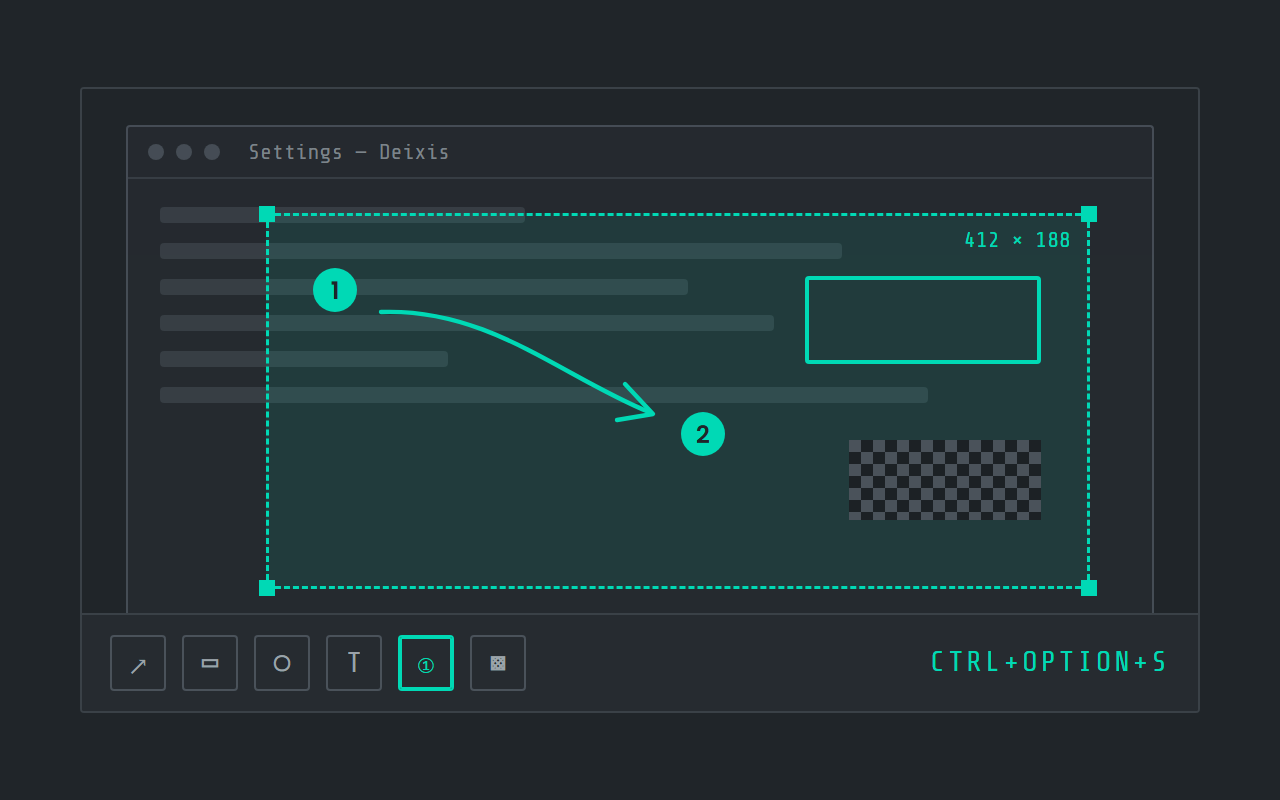
Screen grabs, annotated
Freeze the screen at the keypress, drag a region, add arrows, boxes, text and numbered steps, and pixelate what is private. Saved as a PNG in a folder you own.
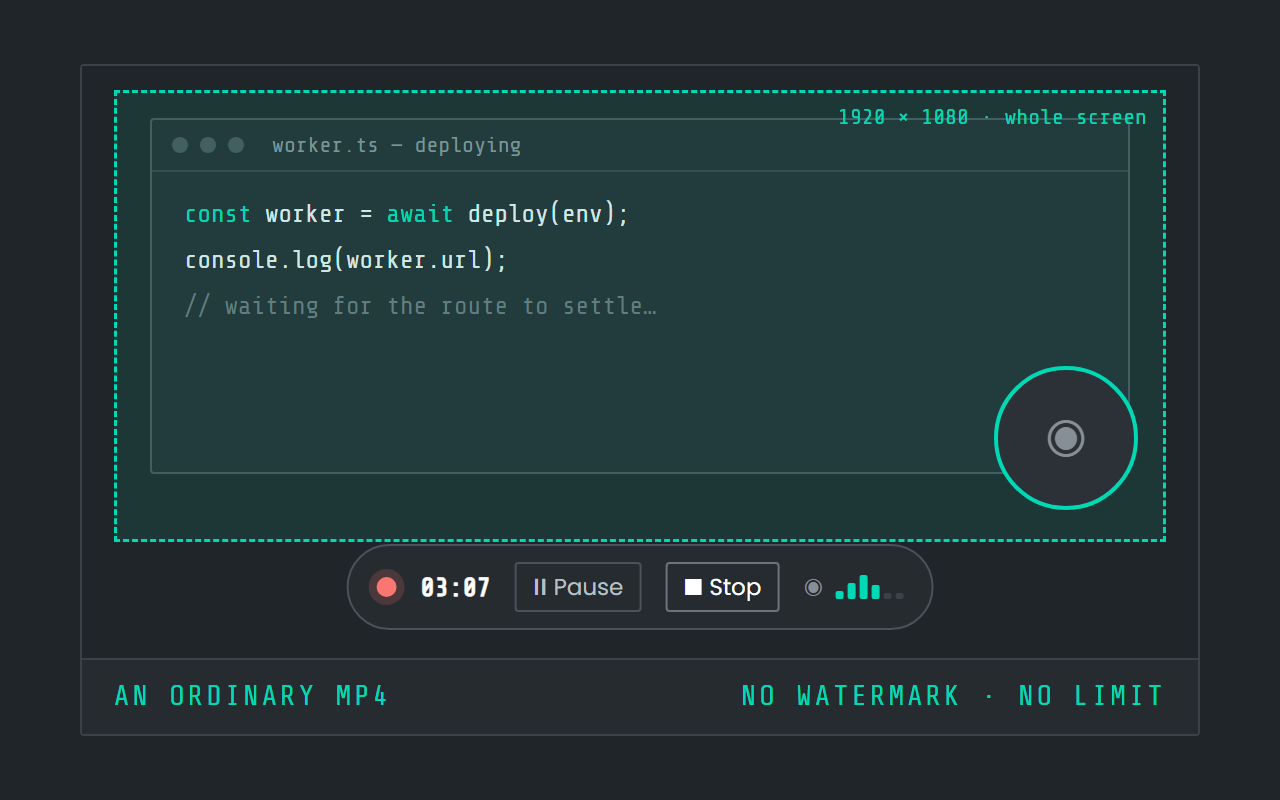
Screen recording
Record the screen, pause when you need to, and stop. The video is a file in a folder on your Mac, not in somebody else's cloud.

Hold a key. Speak. Keep working.
Deixis is free, needs no account, and runs on your own device.
v1.2.2 · 64‑bit Windows 10/11 · macOS 13 on Apple silicon · 51 MB · nothing else to install · also for Windows