Voice dictation for Obsidian on a Mac
Most of what goes into a vault is thinking written down: the reasoning behind a decision, the notes from a call, the half-formed idea you want to catch before it goes. Typing it is slower than having it, and the second half of the thought tends to leave while you are still spelling the first. Saying it out loud keeps up, and a note is prose, which is what dictation is good at.
Deixis puts your voice into the note you are looking at. Hold Ctrl+Option on your Mac, say the
paragraph, let go, and punctuated text is typed at the caret, with your clipboard handed back as it
was. The speech is recognised on the Mac itself, the audio never leaves it, and there is no account
to make.
There is no plugin involved. Deixis lives outside Obsidian and types wherever the caret is, so nothing appears in your plugin list and nothing needs updating when Obsidian does. The same chord dictates into a note, a canvas card and a file name, and then into your mail, your browser and your chat.
Why Deixis
What it gives you in Obsidian, and what it will not do
Why Deixis in Obsidian
- Nothing inside the vault but your words. Deixis does not open your vault's files, does not touch its settings folder and adds nothing to it of its own. It types text at the caret, the way your keyboard does, and Obsidian saves it as the plain Markdown it always writes.
- Your voice stays on the Mac, like your notes. Obsidian's privacy policy says its apps keep your data on your device. Deixis makes the same promise about your voice: recognition runs inside the app on your Mac, the recording and the transcript stay there under every setting, and there is no telemetry. After the one speech model download, dictation works in a vault with the Wi-Fi off.
- Free mode writes a note you can keep. Double-tap
Ctrl+Optionand talk for as long as the thought takes. Tap the chord while it listens and a toolbar offers to take the text you have selected or grab a region of the screen. When you finish, what you said and what you pointed at are one note, interleaved in order, pasted at the caret and saved as Markdown. - Annotated screen grabs for notes that need a picture.
Ctrl+Option+Sfreezes the screen and you drag a region. Quick-save it, or open the editor for arrows, boxes, a highlighter, text, numbered step badges and a pixelate tool for anything private. Copy puts the finished image on the clipboard for the note; Save writes a PNG you can drop into the vault. - A recording when a note cannot show it.
Ctrl+Option+Vrecords the screen you are on to a video file, with a small bar showing the elapsed time, Pause and Stop. The same chord stops it, and the file sits in a folder on your Mac, ready to drop into the vault beside the note that explains it. - It learns the words your notes are about. People, projects, libraries, the odd place name. Put them in the Dictionary window once and they are spelled your way every time, corrected on your Mac before anything is sent anywhere. Five vocabulary packs ship with it.
- As free as the vault it types into. Dictation, the dictionary, free mode, grabs and screen recording cost nothing on a Mac and ask for no account, so a vault kept free of subscriptions stays that way.
What it will not do
- It does not know it is a vault. Deixis types and stops. It will not make a
[[wikilink]]out of a note's name, fill in your properties, or pick a tag. If you want a tool that understands your vault's structure, this is not it. - It will not file notes for you on a Mac. On Windows, a palette button can run a small script of yours or post the finished note to a webhook, which is how a note can land in a vault folder by itself. Neither is on the Mac yet, so on a Mac a note goes where your caret is.
- It will not transcribe the audio already in your vault. Recordings from Obsidian's Audio recorder stay recordings. Deixis only transcribes what it records itself.
- Your notes have to be in English. The speech model is an English one, so a vault written in another language needs another tool.
- Apple silicon only, and no Linux. Deixis needs an Apple silicon Mac on macOS 13 or later. Obsidian's Mac download is a Universal build and it has Linux builds too; Deixis has neither an Intel nor a Linux version.
- It is not a keyboard replacement. Double brackets, a
#tag and the- [ ]in front of a task are quicker typed. Deixis is for the prose, which is most of a note.
What you get
More than dictation, on your Mac.
Hold Ctrl+Option and speak, or press a letter while you hold it: free mode, a grab, a screen recording. All of it on your Mac, all of it free, none of it behind an account.
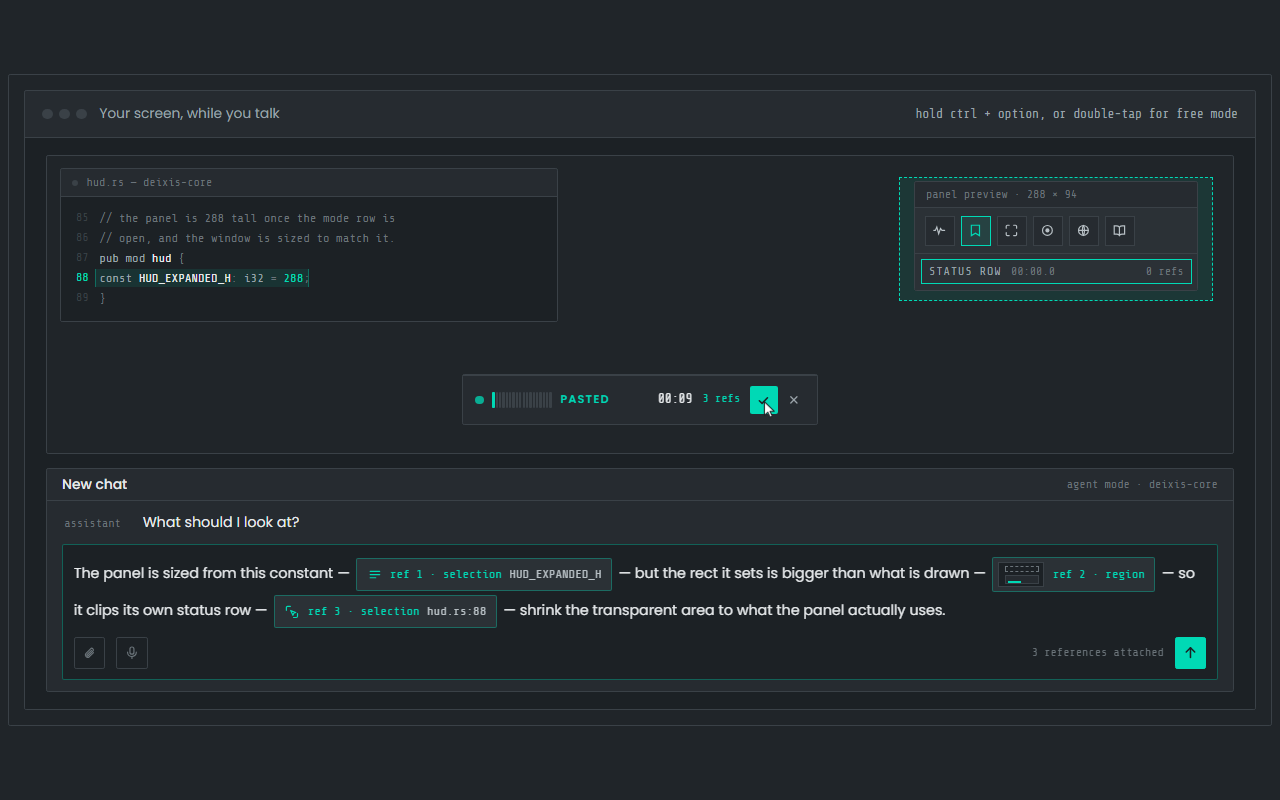
Dictation, where your cursor is
Hold Ctrl+Option, speak, release. Clean, punctuated text lands in whatever app has focus on your Mac, with your clipboard handed back.
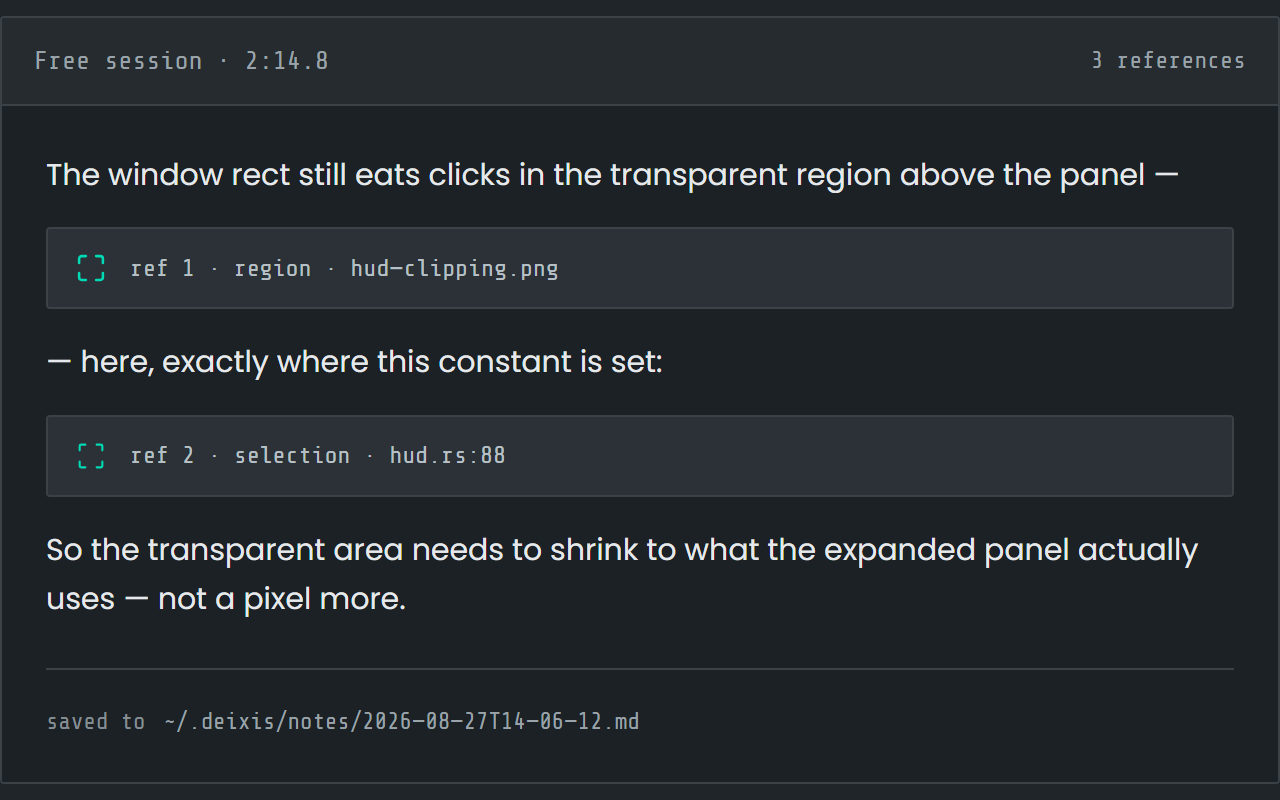
Free mode: talk and point
Double-tap the chord and narrate for as long as you like while you grab a region or take a selection. One note, what you said interleaved with what you pointed at, pasted where you finish and saved as Markdown.
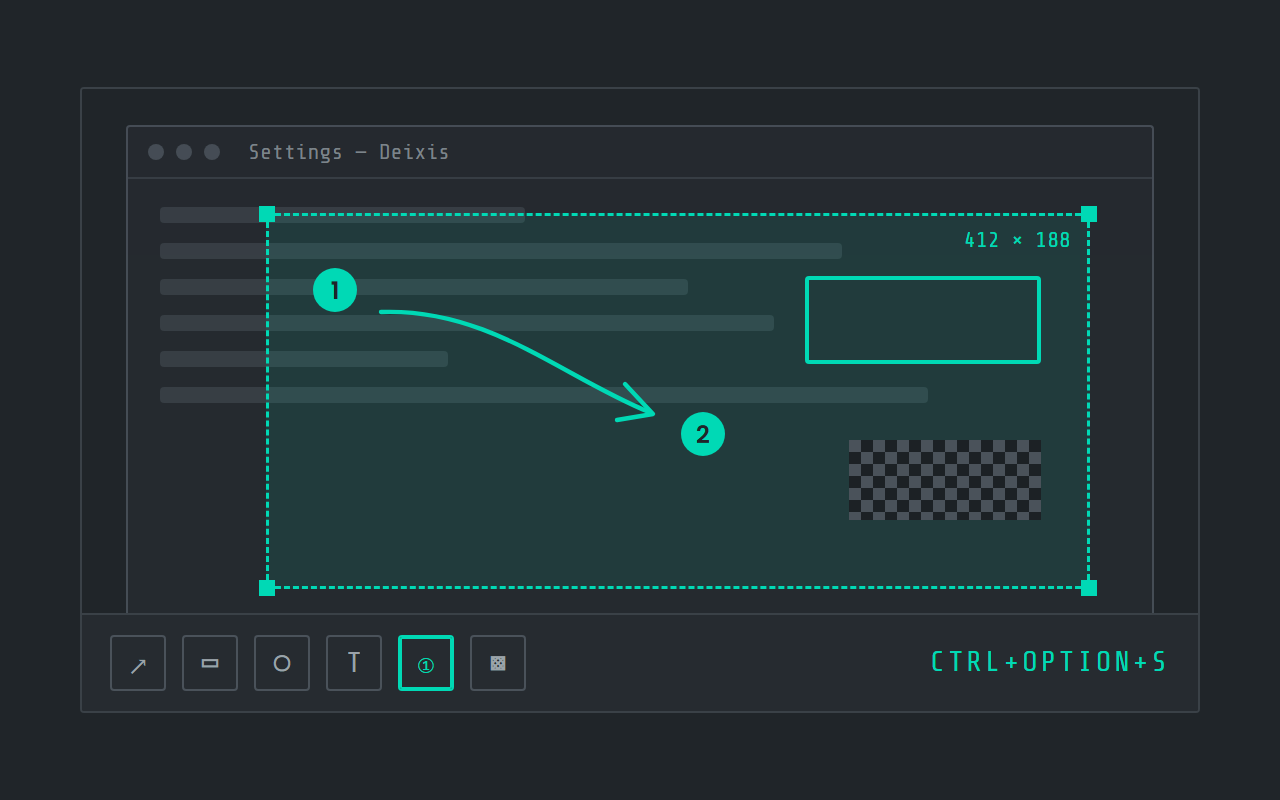
Screen grabs, annotated
Freeze the screen at the keypress, drag a region, add arrows, boxes, text and numbered steps, and pixelate what is private. Saved as a PNG in a folder you own.
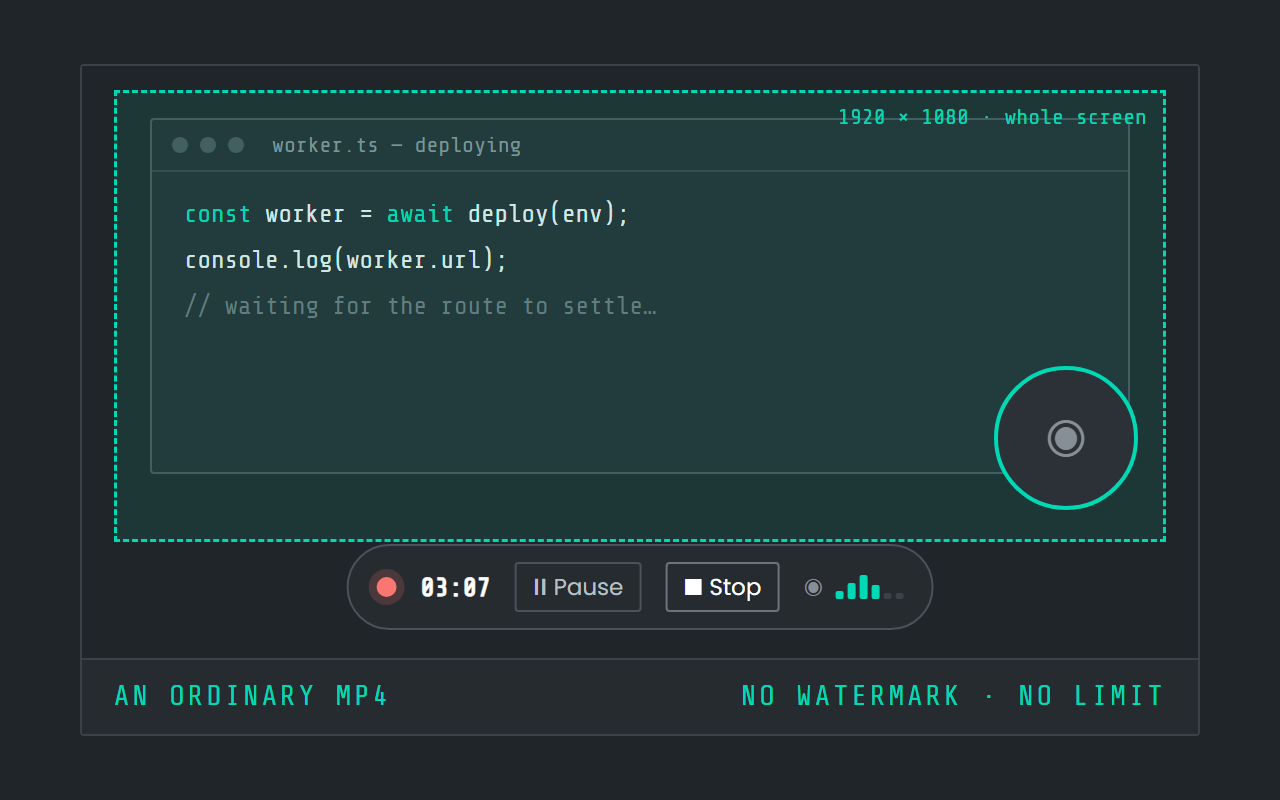
Screen recording
Record the screen, pause when you need to, and stop. The video is a file in a folder on your Mac, not in somebody else's cloud.
Field by field
The same voice, punctuated for wherever you are in Obsidian
Deixis knows which app and which field your words are going into — the name of the app and the name of the control, never the window title and never what is on your screen. A prompt, a message and a commit line therefore come out differently. Here is your vault, in the editor, kind by kind.
| Where you are | What you say | What Deixis types |
|---|---|---|
| A daily-note entrytoday's note, opened by the Daily notes core plugin | “um spent the morning on the migration script it choked on the null created at column so I backfilled it before rerunning” | Spent the morning on the migration script. It choked on the null created_at column, so I backfilled it before rerunning.The filler goes, the run-on becomes two sentences, and your dictionary puts the underscore back in a column name. |
| A long paragraph in a notethe body of a note in the editor | “the argument for local first is basically that a note you can read in a text editor in ten years is worth more than one that needs a running service uh and every sync feature has to be built on top of that not underneath it” | The argument for local-first is that a note you can read in a text editor in ten years is worth more than one that needs a running service. Every sync feature has to be built on top of that, not underneath it.A long field gets sentences and a hyphen where the sense needs one. This is the field where talking beats typing by the most. |
| A task linea checkbox line in a note | “ask the design team for the new empty state before friday” | Ask the design team for the new empty state before Friday.A short line is punctuated as a short line and nothing is expanded. The `- [ ]` in front of it is yours to type. |
| A note titlethe file name field when you make a new note | “notes on the tan stack upgrade” | Notes on the TanStack upgradeOne dictionary line fixes the spelling of a library your speech model has never met, on this machine, before anything is sent anywhere. |
| A card on a canvasa text card on a canvas | “this box is the bit that reads the feed twice on a cold start” | This box is the bit that reads the feed twice on a cold start.A card is a small field, so it gets a capital and a full stop and is left alone otherwise. |
Obsidian facts from home, download, its site, its privacy policy, vaults, formats, syntax, plugins, audio, properties and canvas, read on 27 September 2026. Everything about Deixis on this page is from its README for the current release.
Worth knowing about Obsidian
- Obsidian's own help page defines a vault as "a folder on your file system which contains your notes, attachments, and the configuration folder with Obsidian-specific settings" — which is the whole reason a Deixis note drops into one so easily: both sides are already just files in a folder.
- Obsidian's home page says it "stores your notes locally as plain text Markdown files", that you can reach them "even offline", and that "Obsidian uses open file formats, so you're never locked in." Free mode writes exactly that: one Markdown note with its images in a folder beside it.
- Obsidian does have a voice feature of its own: the Audio recorder core plugin, which its page says "lets you record and save audio in an Obsidian note", for the times "where you can't type fast enough". It "saves the recorded audio file to your vault and embeds it at the end of the active note", and the recording stays in the vault even after you remove it from the note.
- What that page does not describe is any transcription: it says nothing about speech-to-text, and no core plugin in Obsidian's own list is a dictation feature. So Obsidian records your voice as an attachment to listen back to; turning it into words in the note is not documented as something Obsidian itself does.
- The file formats page lists Markdown (`.md`), Bases (`.base`) and JSON Canvas (`.canvas`), plus images, audio, video and PDFs that "can be embedded directly into your notes" — so a dictated note and its screen grabs are both ordinary vault citizens.
- Obsidian's Markdown is the plain kind: headings from `#`, task lists from a hyphen and `[ ]`, and internal links as `[[Wikilinks]]` or ordinary Markdown links. Deixis types text at your caret, so which of those you are inside is your business, not its.
- Properties — the structured fields at the top of a note — are "stored in YAML format at the top of the file", holding text, lists, numbers, checkboxes, dates and tags. Dictation lands in one the same as in any other box.
- Canvas is described as a core plugin for visual note-taking with "infinite space to lay out notes and connect them to other notes, attachments, and web pages", saved as "`.canvas` files using the open JSON Canvas format".
- Obsidian's privacy policy is short and good. Of the desktop and mobile apps it says "All data is saved locally on your device and is never sent to our servers" and "We do not collect any telemetry data" — with Sync and Publish covered separately, as the paid services that do send data. Deixis makes the same promise about your audio, which never leaves the machine under any setting.
- The app is "Free without limits. No sign-up required." Sync is $4 per user per month billed annually, Publish $8 per site per month billed annually, and a commercial licence is $50 per user per year.
- Obsidian's download page offers desktop builds for Windows, Mac and Linux, and mobile apps on the App Store and Google Play. Deixis runs on Windows, Mac and Android, with its iPhone keyboard in beta on TestFlight, and has no Linux build.
Five minutes
Setting it up
Five minutes, and Obsidian is not involved: no plugin to enable, no setting to change inside it.
Install and grant access
Download the notarized disk image, open it, and drag Deixis into Applications. On first launch it asks you to fetch the speech model with one Download button; the file is checked before it is kept. The first time you dictate, macOS asks for Accessibility and microphone permission, and both are granted in System Settings → Privacy & Security. That is the whole list.
One chord, a few variations
Hold Ctrl+Option, speak, release, and the words go into whichever note has the caret. Double-tap
the chord for free mode when you want to think out loud for a while. Hold it a beat longer and a
small palette appears with a letter per mode: S grabs a region, V records the screen. If the
chord clashes with a shortcut of yours, Settings → Hotkey captures a new one as you press it.
Getting a free-mode note into the vault
Finish a free-mode session with the caret in a note and the note is pasted there. It is also saved as a Markdown file in Deixis's own folder, with its grabs beside it, so you can move the whole thing into the vault when a session deserves a page of its own.
Teach it your names
Open the Dictionary window and add the words your vault is full of. Words to expect help the recogniser hear them in the first place; a fix turns a name it keeps getting wrong into the right one, every time. Five vocabulary packs ship: software development is on from the start, and medical, legal, accounting and business are a switch each in the same window.
Choose what may leave
Settings → Cleanup holds the only privacy choice. Out of the box, rules on your Mac tidy the text and nothing is sent, which suits a vault you keep local on purpose. A language model joins in only if you set one up, and then by default only when you ask for a transform or dictate a long stretch with no punctuation. A model running on your own Mac keeps even that text at home. Your audio is never part of the choice.
Before you ask
Questions people search for
Does Obsidian have voice dictation of its own?
It has a voice feature, not dictation. The Audio recorder core plugin records audio and embeds the file in your note, to play back later. Its page says nothing about turning speech into text, and no core plugin in Obsidian's list does it. macOS Dictation will type into a note too; Deixis adds your own dictionary, grabs and free mode on the same chord, and never sends your voice anywhere.
Do I have to install anything into Obsidian?
No. Deixis is its own app on your Mac and types at the caret, so Obsidian does not know it is there. There is no plugin to trust, no version to keep in step, and nothing to break when either app updates.
What does macOS ask for the first time?
Two permissions: Accessibility and the microphone. macOS asks the first time you dictate, and you grant both in System Settings → Privacy & Security. Your first screen grab or recording adds a third, screen recording. Obsidian itself needs nothing.
Where does the audio go?
Nowhere. Speech is recognised inside Deixis on your Mac, and the recording, the model and the transcript stay there, with no account and no telemetry. That sits well beside Obsidian's own privacy policy, which says the desktop and mobile apps keep your data on your device.
Can I dictate into my vault from my phone?
On Android, yes: the Deixis bubble dictates into any app's text field, Obsidian included, with the speech recognised on the phone. The iPhone keyboard is in beta on TestFlight and not yet in the App Store. Either way, Deixis types the words and does not know it is a vault.
Do I need an account or a subscription?
No, much as Obsidian itself is free with no sign-up. Everything Deixis runs on your Mac is free. Pro, at $49 a year, only buys having a cloud model tidy your prose with nothing to set up, and your own provider key makes that cleanup free as well.
Keep reading
Related pages
How to type by voice in any app on a Mac, with the speech recognised on the Mac itself
How to type by voice in any app on a Mac: hold Ctrl+Option, speak, let go. Speech recognition runs on your Mac, free and with no account.
Dictation on a Mac, compared with Deixis
MacWhisper, Superwhisper, VoiceInk, Wispr Flow and Apple Dictation, set beside Deixis on a Mac: where speech is recognised, what leaves, the price.
Dictation for Slack on a Mac
Hold Ctrl+Option and speak into Slack on your Mac: replies, threads, DMs and canvases. Speech recognised on the Mac, with no account and no admin.
Dictation for Claude Code on a Mac
Hold Ctrl+Option and speak your Claude Code prompt in Terminal, iTerm2 or your editor. Recognised on your Mac, audio never leaves it, no account.
Dictation for Cursor on a Mac
Hold Ctrl+Option and speak into the Cursor agent prompt, a rules file or the terminal pane. Recognised on your Mac, no account, free.
Dictation for VS Code on a Mac
Hold Ctrl+Option to dictate into VS Code chat, comments and the terminal, then into every other app on your Mac. Recognised on the Mac, no sign-in.

Hold a key. Speak. Keep working.
Deixis is free, needs no account, and runs on your own device. Everything on this page is in the current release.
v1.2.2 · 64‑bit Windows 10/11 · macOS 13 on Apple silicon · 51 MB · nothing else to install · also for Windows
Facts about Obsidian checked on 2026-09-27 against obsidian.md. Deixis facts are from its README for the current release. Something out of date? Tell us.