The first five minutes, from the installer to your first words
This page takes you from a downloaded installer to a sentence you said appearing in another app, and then to one more thing worth knowing on day one. Nothing here needs an account, a card or a key. It needs a microphone, an internet connection for the one-time speech download, and about five minutes, most of which is that download.
Free, with no account and no sign-in.
1. Install it
On Windows, open the installer you downloaded, Deixis_<version>_x64-setup.exe. It installs for
your Windows account alone, so there is no administrator prompt, and it is about 62 MB because it
carries what screen recording needs. Windows names Dappit as the publisher before it runs. On a PC
without Microsoft's WebView2 runtime, which Windows 11 already has, the installer fetches it from
Microsoft.
If Windows shows a warning before the installer runs, close it and get Deixis from the Microsoft Store instead. It is the same app, the Store installs it without that warning, and it keeps itself up to date the same way.
On a Mac (Apple Silicon, macOS 13 or later), open Deixis_<version>_aarch64.dmg and drag Deixis
to Applications, then open it from there.
Deixis runs on 64-bit Windows 10 or 11 with a processor from 2013 or later (one with AVX2), and on Apple Silicon Macs. Where it runs has the detail.
2. Pick your language and press Start
The first launch asks which language you will dictate in, and suggests your computer's own. Seven are offered: English, German, French, Spanish, Italian, Portuguese and Dutch. Deixis listens for the language you pick rather than guessing, because a wrong guess comes back as confident text in another language. You can change it later in Settings → Dictation.
Press Start, and Deixis fetches the speech models your language uses, once: about 607 MB for English, about 1.1 GB for any of the other six. Each file is checked against its published size and fingerprint before it is kept, so a broken download is thrown away rather than left behind. The smaller model comes first, so dictation starts as soon as it has landed, and the more accurate one follows in the background and takes over between one dictation and the next. A dropped connection is retried and resumes where it stopped. Before the first model is in there is no speech model, and Deixis says so if you try.
While you wait, Deixis offers Start dictating now: give an email address and the code that arrives, which starts the seven-day trial, and your dictations go to Deixis's cloud speech model until the model on your computer is ready. Deixis keeps neither the audio nor the words. I'll wait skips it. Once the model on your computer has loaded, dictation is local for good, and for an account that requires EU processing, nothing is sent: it waits for the model.
This is the one wait. After it, recognition runs on your own computer and works with the Wi-Fi off.
3. Find it
On Windows, Deixis lives in the notification area by the clock, not on the taskbar. Windows
hides new icons there, so drag the Deixis icon out of the overflow (^) onto the tray proper. That
icon is where its menu lives; closing the settings window only hides it, and Quit Deixis in the
tray menu is what actually exits. Deixis starts with Windows from now on; switch that off in
Settings → Startup if you would rather start it yourself.
On a Mac, macOS asks for two permissions the first time you dictate: the microphone, and Accessibility, which is what lets Deixis hear the key and paste for you. Allow both in System Settings → Privacy & Security.
4. Your first dictation, in another app
Open anything with a text box: an email, a chat, a document, a terminal, the prompt of an AI agent. Click where you want the words.
Hold Ctrl+Win (Ctrl+Option on a Mac), say a sentence, and let go. A small bar shows
that Deixis is listening while you hold the keys. When you let go, the words are typed where your
cursor was, with capitals and punctuation, and whatever was on your clipboard is put back.
That is the whole product. Everything else is a variation on it.
Three things worth knowing in your first minutes:
- Hold the keys for the whole sentence. Deixis records while they are down. Let go too early and it hears half of what you said.
- A word it gets wrong can be taught. On Windows, type the word the way it should be spelled,
select it, hold the keys and press
D: it goes straight into your dictionary. With nothing selected,Dopens a box to type it in. On either system the Dictionary window does the same. Names, product names and jargon are what this is for. The Software development vocabulary pack is on from the start, and four more ship beside it: accounting and finance, business and product, medical, and legal. - Nothing you said left the computer, once the model on it was ready: the recording, the model and the text stayed on your machine. Only dictations you chose to send with Start dictating now, before then, went to Deixis's cloud. The table of what leaves lists everything that ever does, and when.
5. One more thing to try
Hold the keys and wait a moment, and a row of letters appears above the listening bar: one for each thing Deixis can do from the same keys. Press a letter while you hold them. Pick one of these for your second five minutes.
A screen grab. Hold the keys and press S. The screen freezes; drag a region and it is saved
on its own, or choose to annotate it with arrows, boxes, text and pixelation for anything private,
then copy it as a real image to paste anywhere.
Free mode. Double-tap the keys and talk while you point at things: select text, grab a part of the screen. Double-tap again, and you get one note that mixes what you said with what you pointed at, pasted at your cursor and saved. It is how a bug report or a code review comment gets written in one go.
A meeting, on Windows. Hold the keys and press M to record your microphone and, where it can,
the call's sound too, so both sides are transcribed on your computer. Press it again to stop. The
transcript is a file in a folder you own. Notes written from it need a model: Deixis's own with the trial or Pro, your own
provider's key, or a model on your machine.
Translate, on Windows, with the cloud features. Select some text, hold the keys and press T, and the
translation appears in a small window at your cursor, with Copy and Replace. This one needs a
cloud model: start the free seven-day trial from the app with an email address and a code, or use
your own provider's key.
Every gesture and letter is listed on one page.
If something did not work
- Nothing was typed. Check the first model has landed: until it has, there is no speech model, unless you chose Start dictating now. Then check the cursor was in a text box when you let go.
- The keys do something else. Another app may hold the same keys. Settings → Hotkey changes the chord.
- It heard the wrong language. The language is the one you picked at Start; change it in Settings → Dictation.
- It typed nothing on a Mac. Accessibility is off for Deixis. Switch it on in System Settings → Privacy & Security → Accessibility.
What you get
More than dictation. One key, and everything behind it.
Hold the key and press a letter: free mode, a grab, a meeting, a recording, a translation, your own buttons. All of it on your own device, all of it free, none of it behind an account.
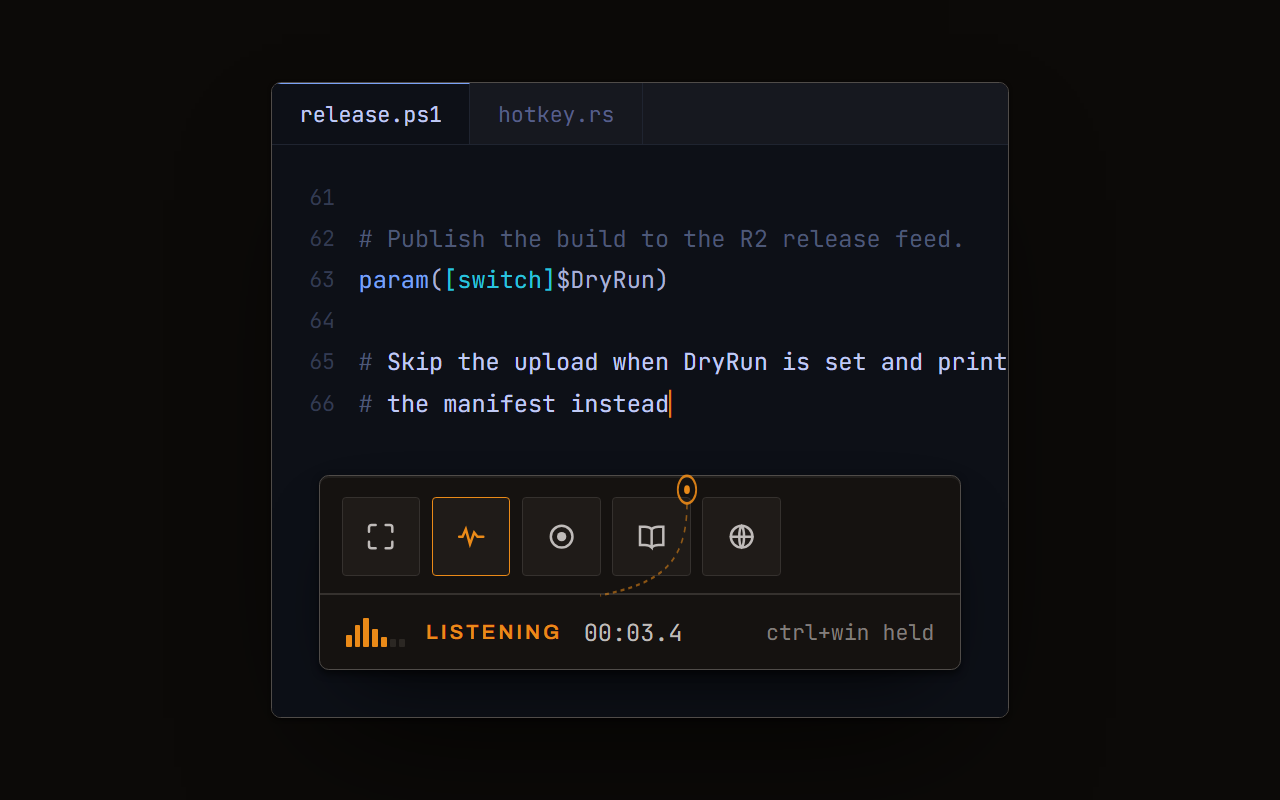
Dictation, where your cursor is
Hold a key, speak, release. Clean, punctuated text lands in whatever has focus, on your PC, your Mac and your phone, with your clipboard handed back.
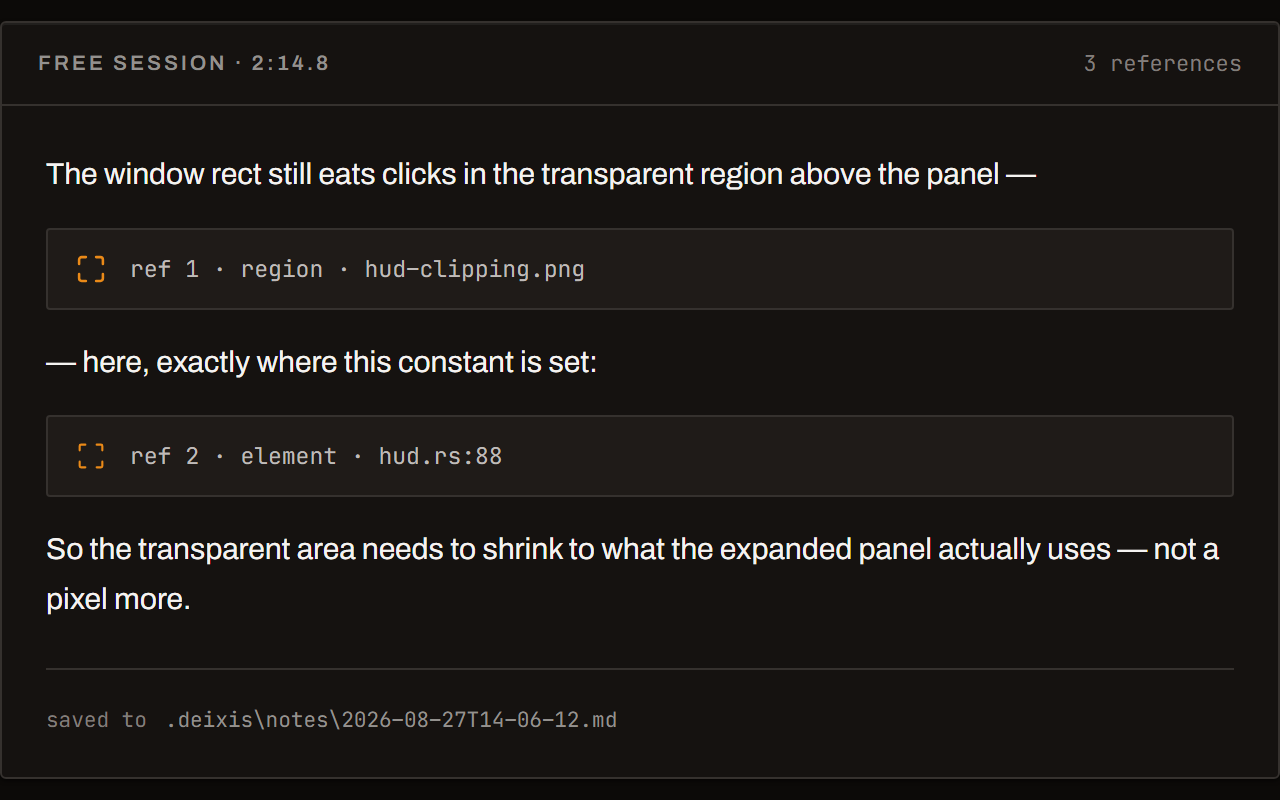
Free mode: talk and point
Narrate for as long as you like while you grab a region, pick a button on screen or take a selection. One note, what you said interleaved with what you pointed at, pasted where you finish and saved as Markdown.
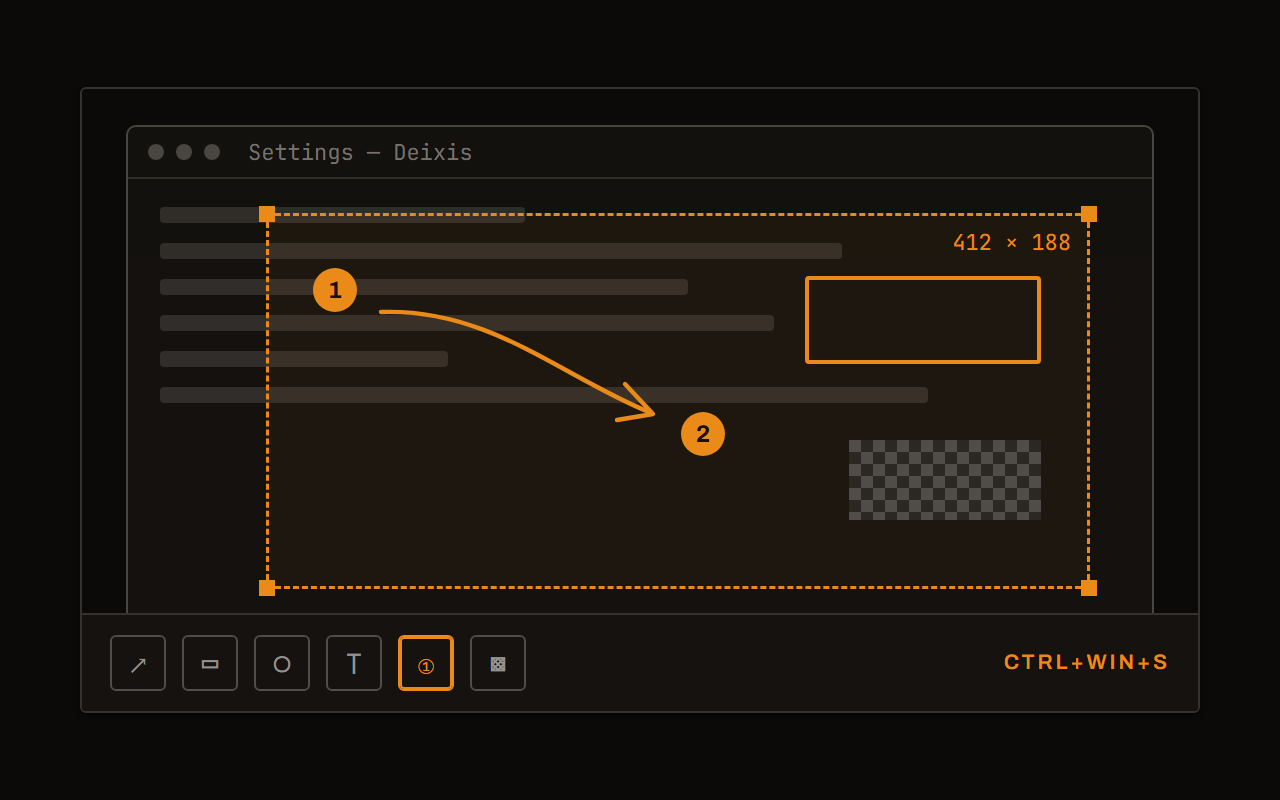
Screen grabs, annotated
Freeze every screen at the keypress, drag a region, add arrows, boxes, text and numbered steps, and pixelate what is private. Saved as a PNG that stays editable.
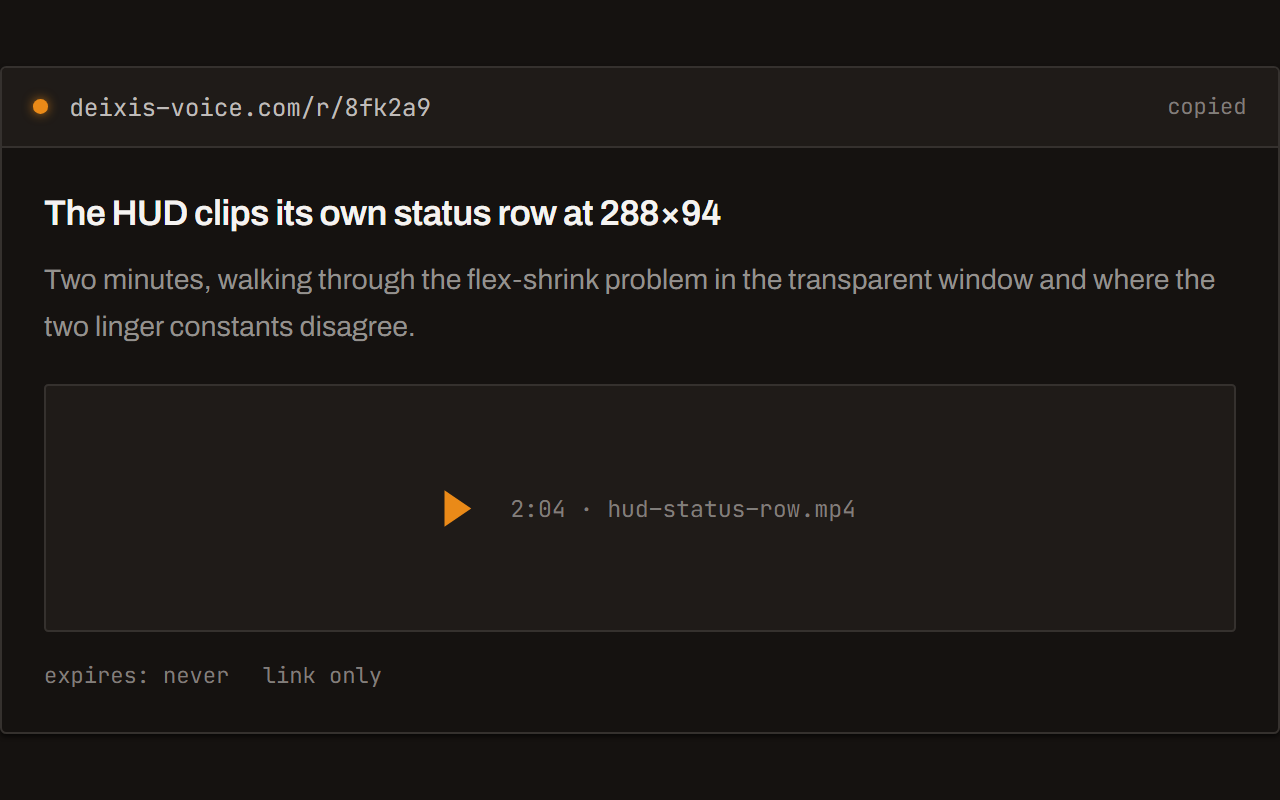
Screen recording, shared as a link
Record the screen with your narration. The recording writes itself up with a title, chapters and a summary, and from your Deixis account it shares as a link anyone can open without one. The Loom you can stop paying for.
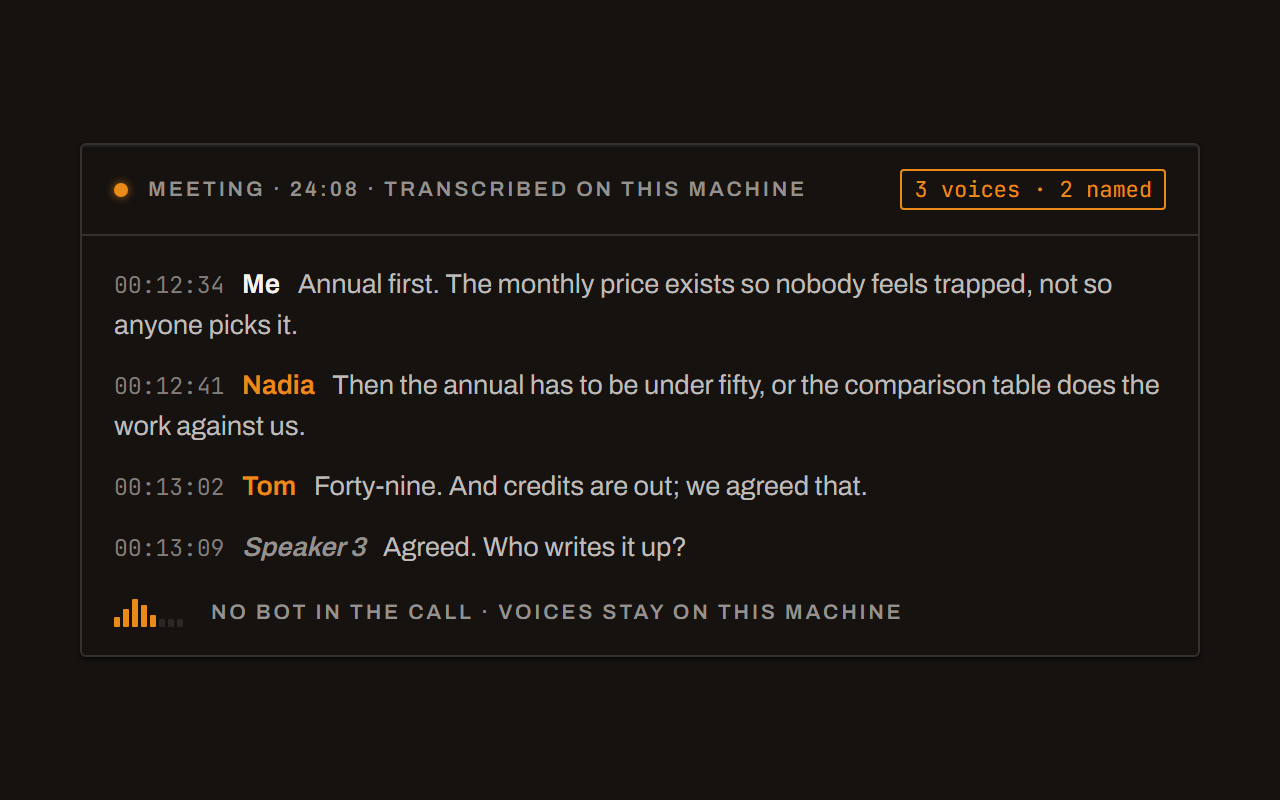
Meetings, no bot, names included
Your microphone and the other side, transcribed on your machine while the call runs. Deixis tells the voices apart and remembers the ones you name, and never uploads a voice.
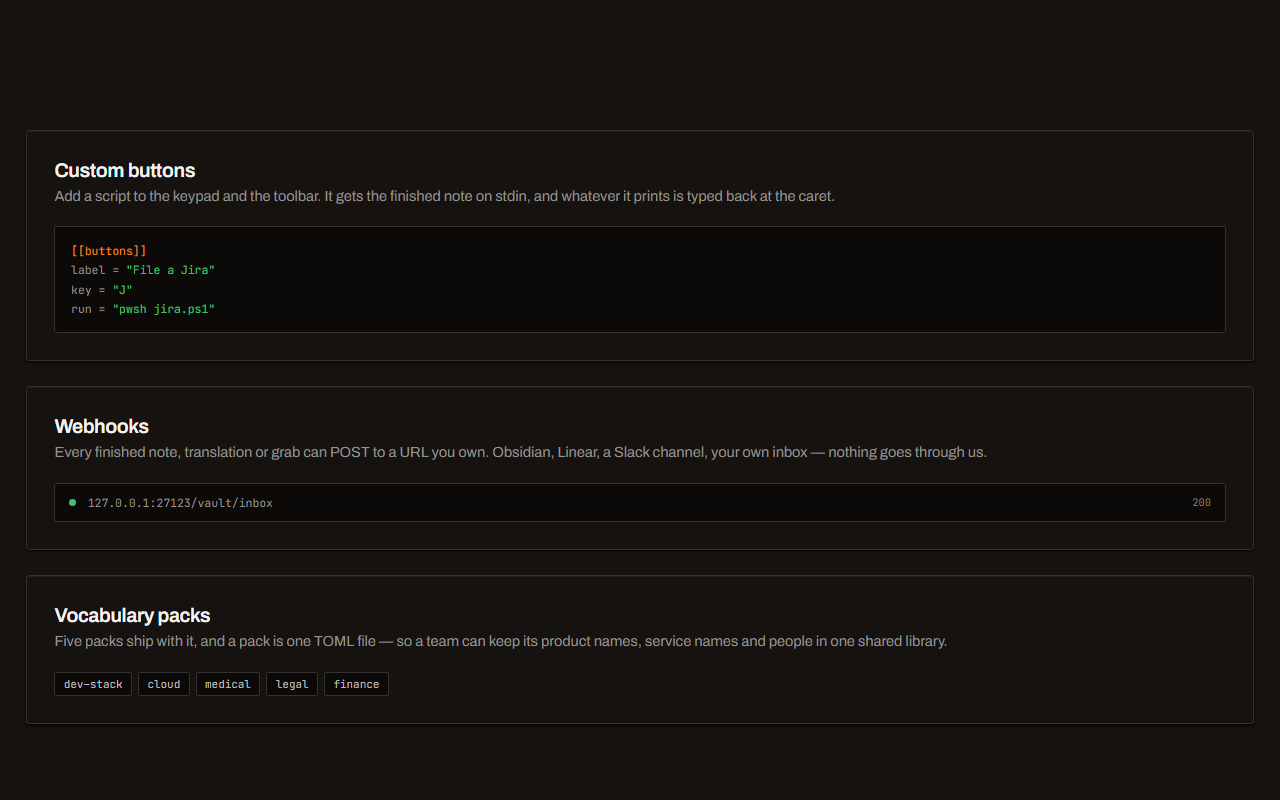
Your own buttons and workflows
Add a button to the palette: it gets the note on stdin and types back whatever it prints. Send finished notes to any URL you own. Chain steps: read the text off a screenshot, translate it, summarise it, post it.
Before you ask
Questions people search for
Do I need an account to start?
No. Installing, dictating, grabs, free mode, recordings and meetings all work with no account and no sign-in. An account only matters for the cloud features, share links, and dictating on the cloud while the first model downloads, if you choose that.
How long does the first run take?
Most of it is the speech download: about 607 MB for English and about 1.1 GB for the other six languages, once, and how long that takes is down to your connection. After that, every dictation is decoded on your own computer, with nothing to wait for from a server.
Does Deixis need the internet after the first run?
Not to dictate. Recognition runs on your computer and works offline. The cloud features, the update check and share links use the network when you use them.
Is it free?
Everything that runs on your computer is free, forever. The managed cloud features are a subscription after a seven-day trial you start yourself, and they are free on your own provider's key.
Can I change the keys?
Yes, in Settings → Hotkey. The letters that go with them can be changed in your settings file.
Keep reading
Related pages
Best dictation software for Windows
Fifteen Windows dictation tools compared, every fact dated from the maker's own pages — including what our own tool cannot do. Read the disclosure.
Offline dictation on Windows
Dictation that works with no internet: speech recognition on your own device, free, no account. Which Windows speech-to-text tools genuinely run offline.
Free voice to text on Windows that types where you are
Free dictation for Windows that types into any app: hold a key, speak, and punctuated text lands at your cursor. Recognition runs on your own processor.
Voice typing for your whole team, on one invoice
What a Deixis seat buys a software team, what stays free without one, the price, and how to bring a whole team on in an afternoon.
Voice input for your product, on your user's own computer where it can be
Voice input for your web app in three lines. With Deixis running and connected to your site, audio stays on the computer; otherwise, a cloud route says so.
What you are downloading
This is Deixis, a desktop app for Windows.
The Download button hands you a signed Windows installer, Deixis_<version>_x64-setup.exe, published by Dappit — Windows names the publisher before it runs. There is no bundled extra software and no toolbar. Deixis needs no account to install, and none of what it does on your own PC is behind a sign-up. What it runs on.
It installs for your account alone, with no administrator prompt, and starts with Windows until you switch that off in Settings → Startup. On a PC without Microsoft’s WebView2 runtime, which Windows 11 already has, the installer fetches it from Microsoft. How to uninstall it · The licence · Privacy policy · Terms of service · support@deixis-voice.com
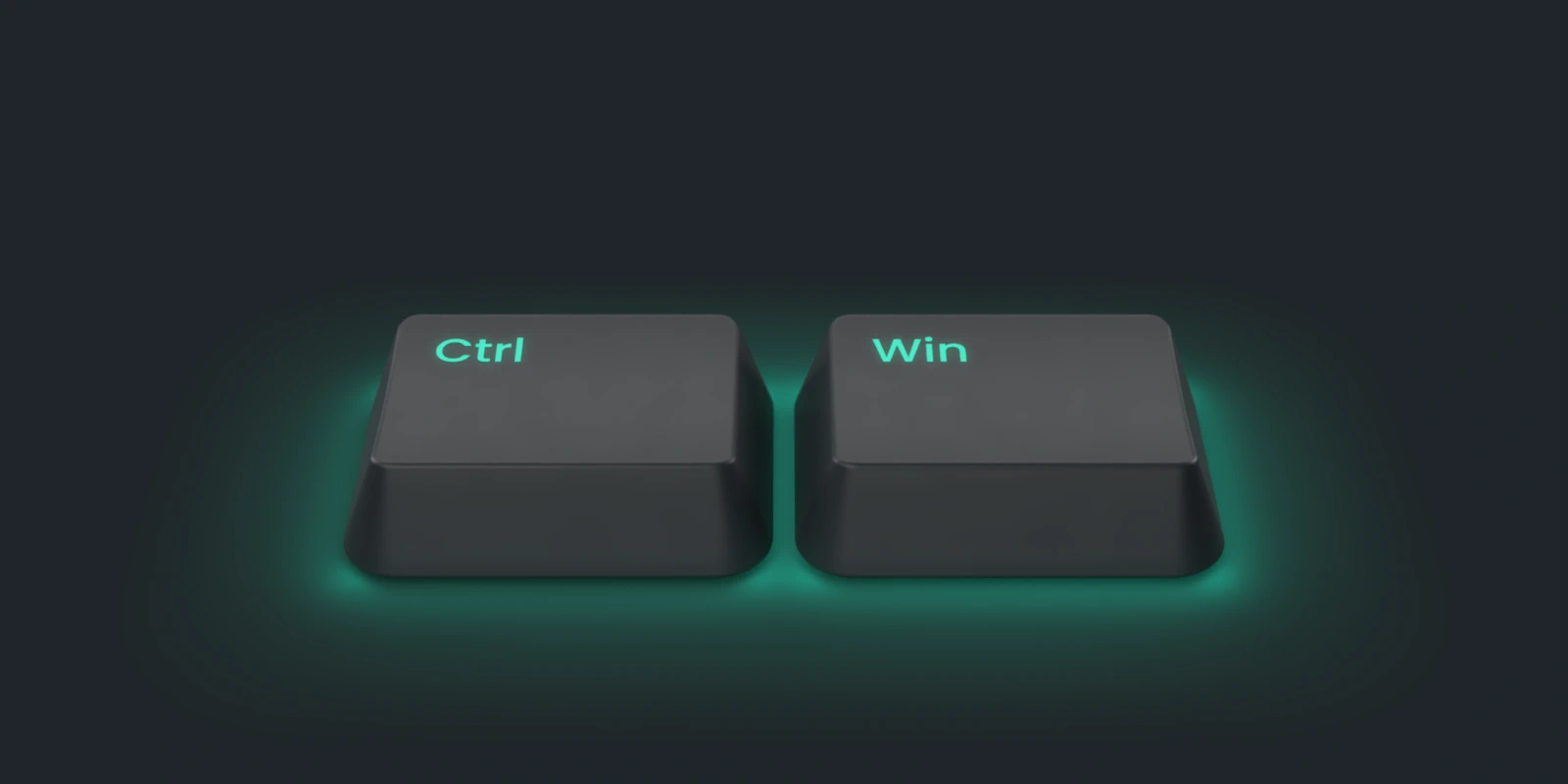
Hold a key. Speak. Keep working.
Deixis is free, needs no account, and runs on your own device. Everything on this page is in the current release.
v1.3.2 · 64‑bit Windows 10/11 on Intel or AMD · macOS 13 on Apple silicon · 51 MB · nothing else to install · also for Windows · Android on Google Play
Everything on this page about Deixis is from its documentation for the current release. Something out of date? Tell us.