VoiceInk or Deixis, two local dictation apps for your Mac
VoiceInk and Deixis agree on the thing that matters most: your voice is recognised on your Mac, and
the audio stays there. Past that, they are different bets. VoiceInk is a kit you assemble: choose
models from a catalogue, build modes, set their triggers, pick a provider for the tidying, and pay
$25 after a seven-day trial. Deixis is a finished gesture. Hold Ctrl+Option, talk, let go, and
tidy text lands at your cursor with nothing to choose or build first; when a language model is asked
to help, it is told which app and field the words are for. Everything that runs on the Mac is free.
The same chord does more than dictate. Double-tap it to talk while you point at things on screen,
press S while you hold it to grab and annotate a region, V to record the screen. Deixis runs on
macOS 13 and later, where VoiceInk asks for 14.4, and nothing that runs on the Mac needs a licence
key, an account or a trial clock.
VoiceInk is a well-loved app with real strengths, open source code, a one-off price, many languages, and the list below states them plainly. If you enjoy tuning your tools, it rewards the effort. If you want to stop typing today with nothing to put together first, Deixis is the better choice on your Mac, and here is why.
Why switch
What you gain, and what you give up
Why Deixis
- Free, with nothing to activate. No trial clock on anything local, no licence key emailed to you, and no activation, which VoiceInk's own docs say checks your key with its licensing service and needs a network connection. Deixis never asks you to sign in to dictate, grab or record, and nothing that runs on the Mac is ever metered.
- Ventura is enough. VoiceInk's download page sets its floor at macOS 14.4. Deixis installs on any Apple silicon Mac running macOS 13 or newer, which takes in Ventura and the first Sonoma releases that VoiceInk leaves out.
- Tidy text with nothing to put together. Deixis tidies every sentence with rules on your Mac from the first launch. In VoiceInk, past stripping filler words, tidying is AI Enhancement, switched on per mode with a provider chosen: Refine if your Mac has the memory for it, a cloud service under your own key, a model you run in Ollama, or a command-line tool.
- Shaped for the field, with no modes. Whenever cleanup calls a language model, the app and the field travel with the sentence by name, so an email body, a Slack reply and a terminal command are each handled right from the first try. In VoiceInk, behaviour per app means a mode, a trigger and a prompt that you write.
- Your screen stays out of it. Deixis cleanup is limited to the sentence, your vocabulary, the previous sentence in that field and the app and field names: no window title, no screenshot, nothing lifted off the display. VoiceInk's screen context captures the active window and extracts its visible text for the model, when you switch it on for a mode; its docs add that the switches decide what goes into the request, while a local, in-memory snapshot may still be read when each recording starts.
- Point while you talk. Free mode, a double-tap away, keeps listening while you pick up the text you have selected or a region of the screen from a toolbar by the cursor, then drops one note where you finish: your explanation, with the things you pointed at in the right places. It is kept as a file, too.
- Grab it, mark it up, or record it. With the chord held,
Sfreezes the screen so you can crop a region and add arrows, boxes, text, numbered steps or a pixelated patch before saving a PNG you can reopen and change, andVrecords the screen to a video file on your Mac. VoiceInk is a dictation app and does neither. - Files you own, not a database. VoiceInk keeps history in a database in its app-support folder and exports it as CSV. Deixis keeps notes, grabs, recordings, your dictionary and your settings as ordinary files in one folder, readable with anything, and still there if you delete the app.
Where VoiceInk still wins
- Open source. Anyone can read VoiceInk's code: it is on GitHub under GPL v3, and a copy you compile yourself costs nothing, though it misses the automatic updates and priority support of a bought copy. Deixis is closed source, and makes its case instead with the list of everything it can send, at the foot of this page.
- One payment, no subscription. $25 covers one Mac for good, updates included; two Macs are $39 and three $49, and there is a 14-day refund window. On Deixis the Mac part costs nothing at all, and cloud cleanup is the only thing sold by subscription.
- Languages, and a catalogue of models. Parakeet, Nemotron, Whisper, Cohere Transcribe and SenseVoice, plus Apple's speech framework on macOS 26, between them cover many languages besides English. Deixis takes dictation in English only.
- A cleanup model of its own. VoiceInk Refine tidies dictation on the Mac with no key at all, if your Mac is Apple silicon with at least 16 GB of memory. Ollama and a command-line tool are there too. Deixis's rules run on any Mac it installs on, but for a language model on the Mac itself you run your own.
- Modes you design. A mode with your own prompt can switch on by app, by website, by a phrase you say or by its own shortcut, and can read your selection, your clipboard or text from the window in front of you. Deixis has no prompts to write and never reads the screen for cleanup; whether that is a limit or a relief depends on you.
- Files, live text and a phone app. VoiceInk transcribes audio and video files, can show partial text while you are still talking, and has an iPhone and iPad app, free while in beta. Deixis takes no files and types when you let go of the chord; its iPhone keyboard is in beta on TestFlight, not yet in the App Store.
- History that deletes itself. Set transcripts to go after an hour, a day or a week, or audio after up to 30 days. Deixis keeps its history until you remove it yourself.
What you get
More than dictation, on your Mac.
Hold Ctrl+Option and speak, or press a letter while you hold it: free mode, a grab, a screen recording. All of it on your Mac, all of it free, none of it behind an account.
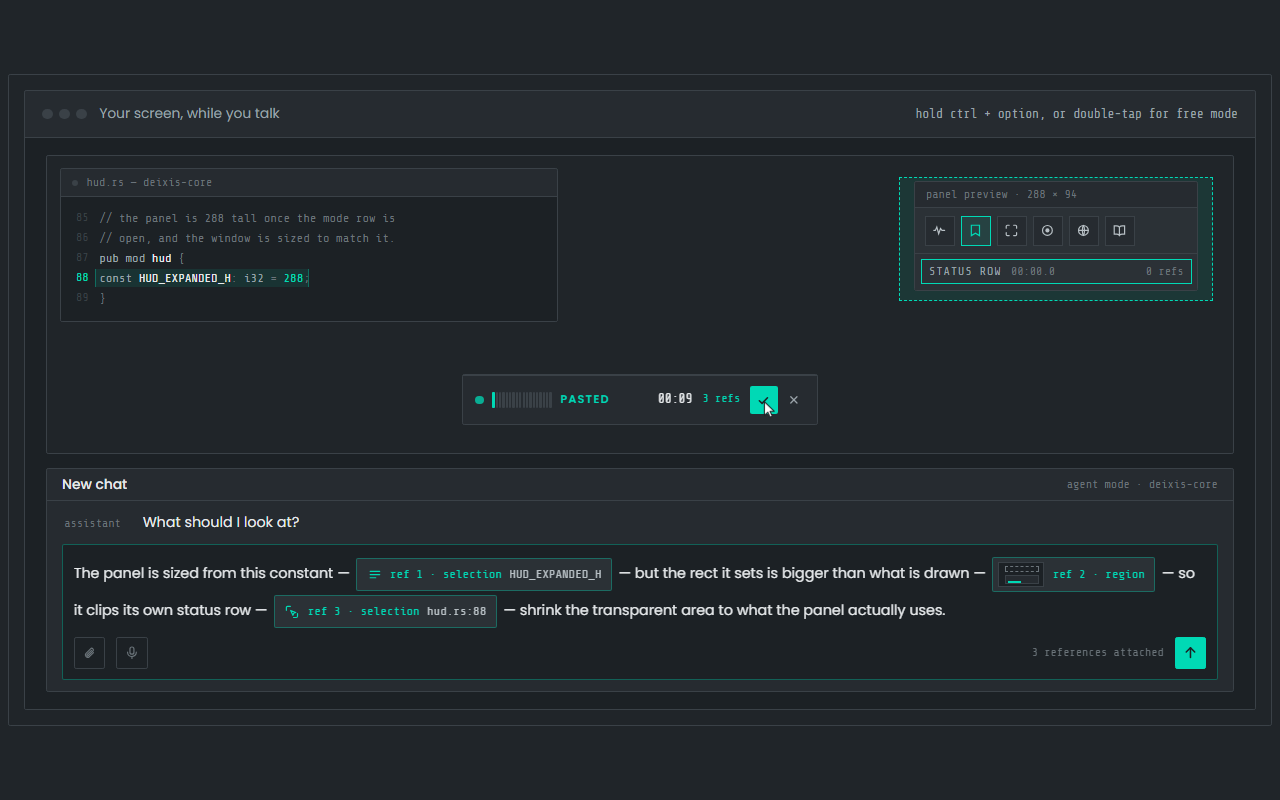
Dictation, where your cursor is
Hold Ctrl+Option, speak, release. Clean, punctuated text lands in whatever app has focus on your Mac, with your clipboard handed back.
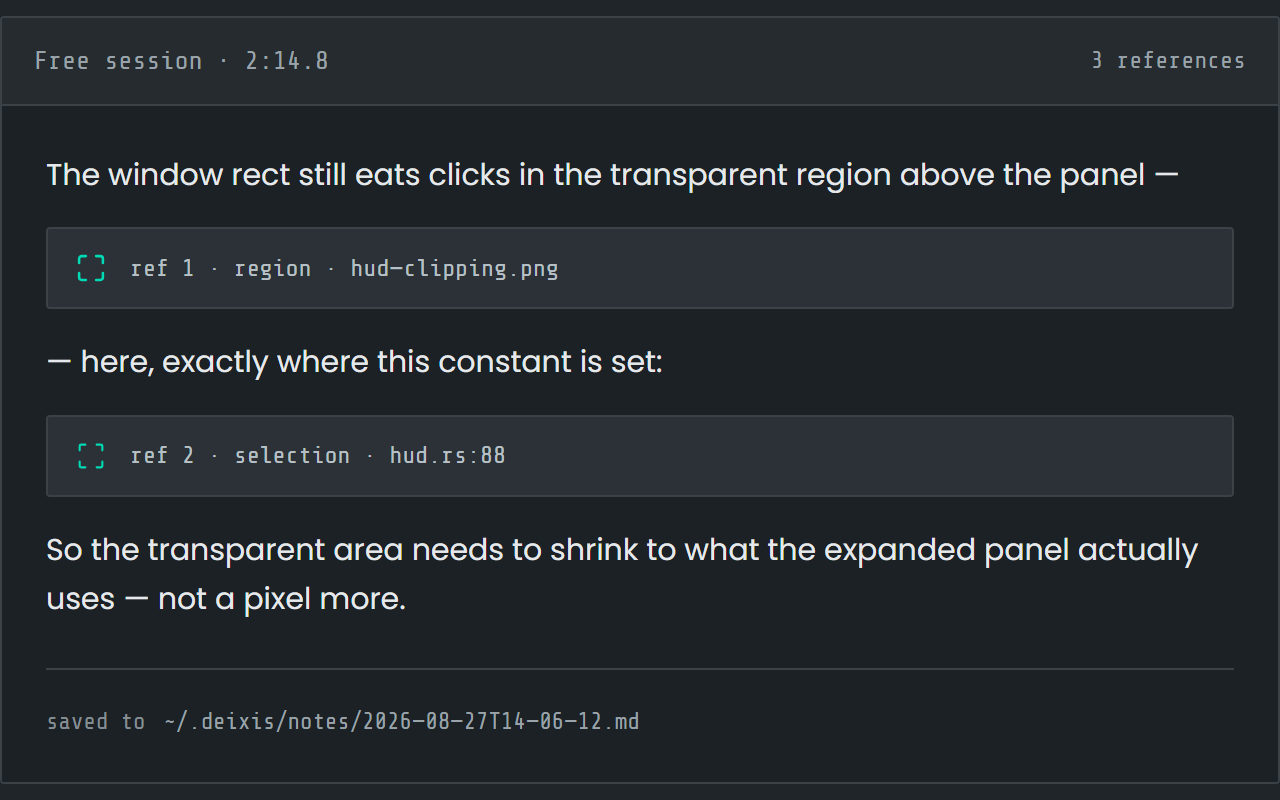
Free mode: talk and point
Double-tap the chord and narrate for as long as you like while you grab a region or take a selection. One note, what you said interleaved with what you pointed at, pasted where you finish and saved as Markdown.
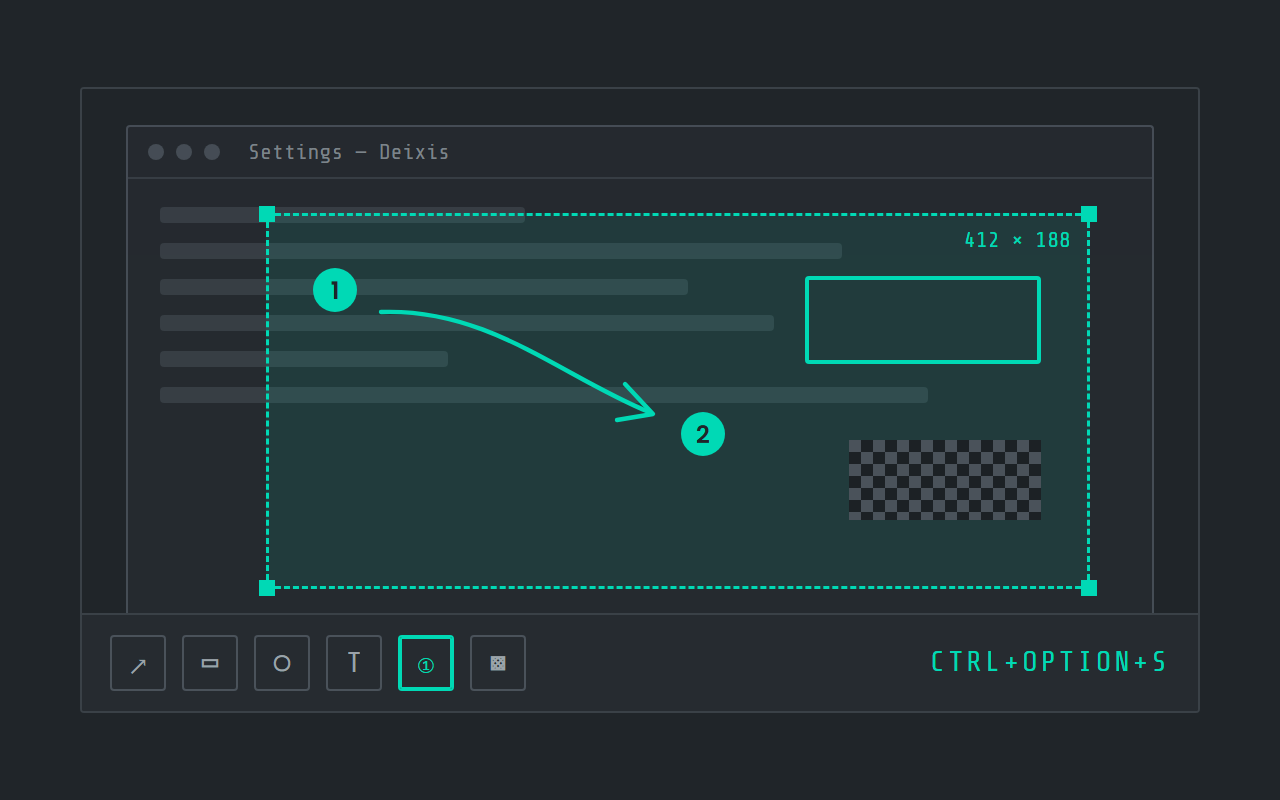
Screen grabs, annotated
Freeze the screen at the keypress, drag a region, add arrows, boxes, text and numbered steps, and pixelate what is private. Saved as a PNG in a folder you own.
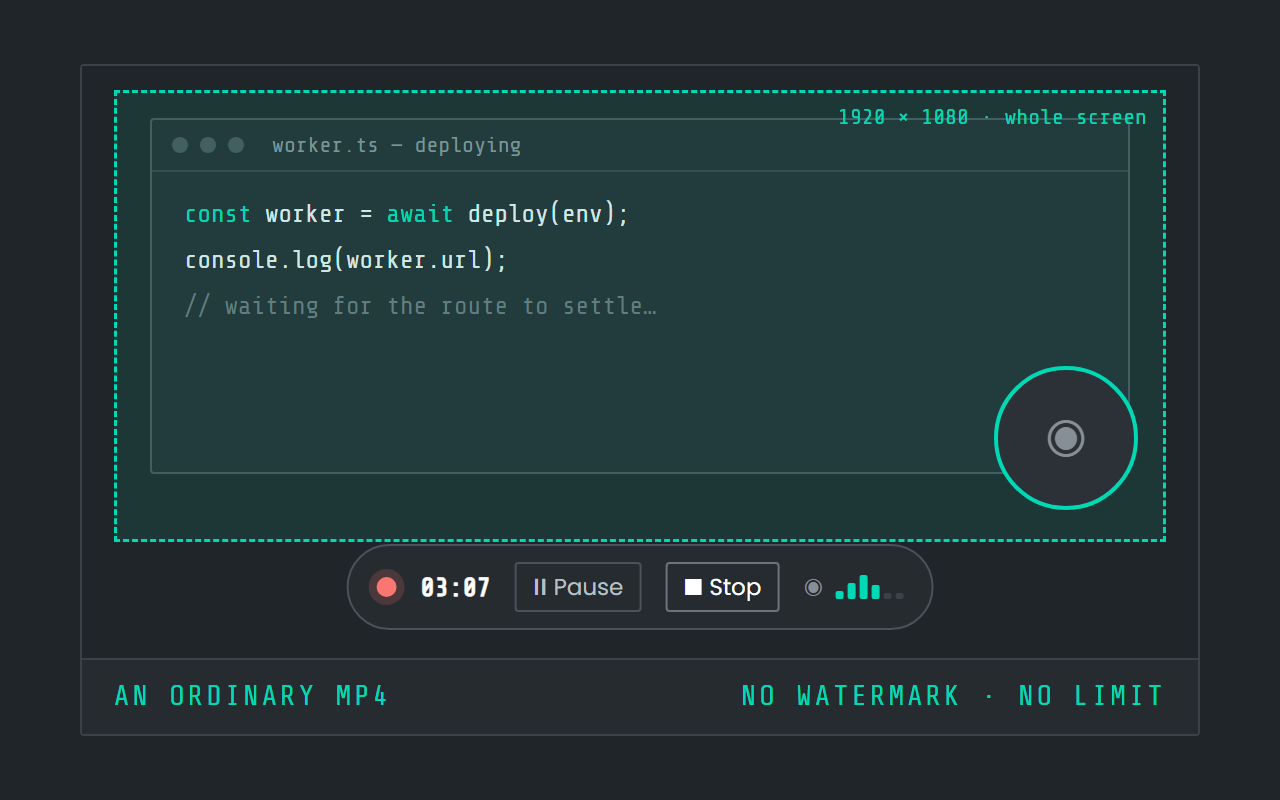
Screen recording
Record the screen, pause when you need to, and stop. The video is a file in a folder on your Mac, not in somebody else's cloud.
Side by side
VoiceInk and Deixis, side by side
| Row | Deixis | VoiceInk |
|---|---|---|
| Runs on | Mac, on Apple Silicon with macOS 13 or later, and the same app on Windows 10 and 11 and on Android, with an iPhone keyboard in beta on TestFlight. One engine on all of them, and dictation audio never leaves the device. | macOS |
| Speech recognition happens | On your own device, inside the app, on every platform. Your audio never leaves it. | On your device or in the cloud, your choice |
| AI cleanup happens | On your device, with no provider at all. Or, if you want more, Deixis's cloud, your own Ollama, or your own key. Your choice, in one setting. | On your device or in the cloud, your choice |
| Leaves your machine | Text only, and only once you switch a cloud feature on. Never audio, never screenshots, never window titles. | Nothing |
| Account needed | None, ever, for anything that runs on your device. The cloud extras have a seven-day trial you start with an email code. No card. | not documented |
| Price | Free forever for everything that runs on your Mac. Pro is $49 a year for the cloud extras with nothing to set up; on a Mac, that is cloud cleanup. | Free tier: a seven-day trial; the source is public under GPL v3, and a copy you build yourself is free but misses the automatic updates and priority support of a bought copy; $25 one-time |
| Your transcripts live | In plain files, in one folder you own and can back up. Uninstall Deixis and every note is still readable. | On your device |
| Make it yours | Your own dictionary of the names and jargon you use, in its own window. Custom buttons and webhooks are on Windows today, not yet on the Mac. | Modes you design that switch by app, website domain, a spoken trigger phrase or a shortcut, with your own prompts; your own keys for a long list of cloud transcription and enhancement providers, or any OpenAI-compatible endpoint; its own on-device cleanup model, VoiceInk Refine, or Ollama or a command-line tool on your Mac for local enhancement; the source is public under GPL v3 |
VoiceInk facts from tryvoiceink.com, its privacy policy, its docs, its download page, its context-awareness docs, its cloud-provider docs, its local-model docs, its licence docs, its settings docs, its history docs, its mode-trigger docs, its vocabulary docs, its file-transcription docs, its iOS page, its source on GitHub and its Refine docs, read on 27 September 2026. “Not documented” means those pages did not say.
VoiceInk's default is local: its privacy policy says all transcription happens on your device by default and no data leaves your computer unless you choose to enable optional cloud services, and its Windows story is that there is none — its download page asks for Apple Silicon and macOS 14.4 or later. Connecting a cloud transcription or enhancement provider under your own key sends that audio or text to the provider you chose, which is your decision rather than the vendor's; the rows above describe the default. Its own cleanup model, VoiceInk Refine, runs on the Mac with no key, and needs an Apple Silicon Mac with at least 16 GB of memory. The $25 price is the one-Mac tier; two Macs are $39 and three are $49, all one-time, with lifetime updates and a 14-day money-back guarantee; the pricing page shows a dollar sign and does not name the currency. The site credits the developer as Pax, who publishes the source as Beingpax on GitHub. A separate VoiceInk for iPhone and iPad exists; its page says free during the beta and a one-time purchase after.
What leaves your machine, and what leaves theirs
Deixis publishes every byte it sends, as a table, because there is so little of it. Here is that table beside what VoiceInk's own pages say.
| What | Deixis | VoiceInk |
|---|---|---|
| Audio | Never. Recognition happens inside the app on your device; the recording, the model and the transcript stay there. | Nothing, by default: the privacy policy says all transcription happens on your device by default and no data leaves your computer unless you choose an optional cloud service. Audio goes to a cloud transcription provider only if you add your own key for one and pick its model.a provider you choose, if any · only when a cloud transcription model is selected |
| The dictated text | The sentence you just dictated, your vocabulary, and your previous sentence in that fieldthe endpoint you chose · only with a cloud endpoint set, and by default only when the local rules are not enough | Nothing, by default. With a cloud enhancement provider connected under your own key, the transcribed text goes to it; the policy says only the text, never the audio, is sent for enhancement.a provider you choose, if any · only when a mode has AI enhancement on with a cloud provider |
| Context around the text | The names of the app and the field the text is going into. Never the window title, never a screenshot.the same endpoint · with that request | Selected text, the clipboard, and text read off the active window on the Mac — the docs say the screenshot itself is never the payload, only the text extracted from it. Each source is a per-mode switch you turn on yourself, and a plain dictation mode never sends context.the enhancement provider you chose · only in a mode with that source switched on, when AI enhancement runs |
| Telemetry and analytics | None. No account, no telemetry, no analytics, no crash reports. | not documented |
| Update check | Nothing but the request; the version check happens on your Macapi.deixis-voice.com · every launch, and when you ask in Settings | An update check in the background while Auto-check Updates is on, and on demand with Check for Updates. The docs do not say what the request carries.not stated · in the background, when the setting is on |
| Model download | Nothing but the requesthuggingface.co · once, when you press Download on first run | A model download when you press Download on a local model card: Parakeet, Nemotron, Whisper, Cohere Transcribe and SenseVoice for speech, and VoiceInk Refine for cleanup; Apple Speech is built into macOS 26. The docs do not say what the request carries.not stated · when you download a model |
| Account and sign-in | An email address, only if you choose to start the trial, plus the partner tag from a partner download link and the first partner website that connected to Deixis on this computer, if there are anythe Deixis endpoint · when you start the trial | A licence key, emailed after purchase and pasted into the app. Activation checks the key with the licensing service and needs a network connection; keys and the Macs they cover are managed on the payment provider's portal. The docs do not say what the check carries.the licensing service · when you activate a purchase |
| Integrations | Nothing: webhooks are on Windows today, not yet on the Mac | not documented |
Before you switch
Before you switch
Who should not switch
If your rule is open source or nothing, VoiceInk is the honest choice and Deixis is not. Anyone dictating in a language besides English should stay where they are. If you transcribe recordings, want words on screen while you are still speaking, or want dictation on your iPhone from the App Store today, VoiceInk covers that and Deixis does not. And if you have a 16 GB Mac and want a language model tidying every sentence on the device with no key, Refine does exactly that; in Deixis you would run the model yourself.
Making the switch
About five minutes from download to your first dictated sentence.
Installing
Same drill as VoiceInk: a notarized disk image, dragged to Applications. There is no model catalogue to browse; the first launch shows a single Download button for the speech model. Expect three permission prompts over the first few minutes, microphone and Accessibility when you first dictate and Screen Recording when you first grab, each granted under System Settings → Privacy & Security. Updates come through Settings → Updates.
The shortcut
VoiceInk's recording shortcut can be set to Toggle, Push to Talk, Hybrid or Double Tap. Deixis
does the two you are most likely to use on one chord: hold Ctrl+Option to talk and release to type,
or double-tap it to keep listening until you double-tap again. If VoiceInk's shortcut uses the same
keys, change one of them so only one app answers.
Enhancement and modes
In VoiceInk you turn AI Enhancement on mode by mode. In Deixis it is one switch for everything, Settings → Cleanup, and the question it answers is how often a language model gets asked. The default, When it helps, lets the rules on your Mac handle the ordinary sentence and calls on a model for a spoken instruction such as "make this a bullet list", or a long run with no punctuation in it. Every time sends every sentence and trades a short wait for smoother prose; Never means no model, ever, for dictation. Point it at Deixis's cloud, at your own key, or at a model on your Mac; if Ollama is already running there for VoiceInk, Deixis can use the same server. App, website and phrase triggers have nothing to map to, because the app and field names travel with every request to the model.
Your words
VoiceInk's Vocabulary and Word Replacements land in the Deixis Dictionary window almost one for one. Vocabulary becomes words to expect, which bias the recognition itself; replacements become fixes, applied after it at word boundaries. Moving those two lists across is the single change that buys the most accuracy.
What to keep VoiceInk for
Other languages, audio files and your iPhone. If you use any of those, the two apps can share the Mac.
Before you ask
Questions people search for
Is Deixis free, or a trial like VoiceInk?
Free, with no trial and no key to buy for anything on the Mac. Dictation, free mode, grabs with annotation, screen recording, the history and the dictionary cost nothing, for good. The paid part is Pro, $49 a year or $10 a month, which runs cleanup in Deixis's cloud so you need no key of your own; its seven-day trial starts only when you ask for it, and with your own provider key the cloud cleanup is free anyway.
Does Deixis run on older versions of macOS than VoiceInk?
Yes. Its floor is macOS 13 on Apple silicon, against VoiceInk's macOS 14.4, so Ventura and the early Sonoma releases are covered. Neither app runs on an Intel Mac.
Will Deixis look at my screen for context, as VoiceInk can?
No. Cleanup works from your sentence, your vocabulary, your previous sentence in that field and the app and field names alone; it has no setting that reads the display. Deixis captures the screen only when you ask it to, for a grab or a recording, and what it captures stays on your Mac as a file.
Can Deixis use the Ollama I already run for VoiceInk?
Yes. Point Settings → Cleanup at your own Ollama and name the model, and cleanup runs on your Mac with nothing sent anywhere. Speech recognition is already on the Mac, so the whole path stays local.
Is Deixis open source like VoiceInk?
No. Deixis is not open source. What it offers instead is a complete list of everything that can leave your Mac, what is sent, where and when, linked at the bottom of this page. Your audio is never on it.
Does Deixis show words while I am still speaking?
No. Deixis types the finished, tidied text when you let go of the chord, all at once. VoiceInk's real-time transcription can show partial text as you speak; if that matters to you, it is a real difference.
Keep reading
Related pages
How to type by voice in any app on a Mac, with the speech recognised on the Mac itself
How to type by voice in any app on a Mac: hold Ctrl+Option, speak, let go. Speech recognition runs on your Mac, free and with no account.
Here is every byte that leaves your machine, for each tool
Every byte Deixis sends off your machine in one table, and the same table filled in for other dictation tools from their own documentation, dated.
Apple Dictation, and what Deixis adds on the same Mac
Apple Dictation is free and built into your Mac. Deixis adds tidier text on any Apple silicon Mac, your own words, and grabs and recording on one key.
Willow Voice, or the same hotkey with the cloud left out
Willow Voice dictates through its cloud unless you pay for offline mode. Deixis recognises speech on your Mac for free, with no account and no weekly cap.
Aqua Voice, or dictation that works with the Wi-Fi off
Aqua Voice says it has no offline mode and gives you 1,000 free words. Deixis recognises speech on your Mac itself, free, with no account and no meter.
MacWhisper transcribes your files. Deixis types where your cursor is.
MacWhisper is a transcription app first. Deixis is dictation first: hold Ctrl+Option on your Mac and clean text lands at the cursor, free, no account.

Hold a key. Speak. Keep working.
Deixis is free, needs no account, and runs on your own device. Everything on this page is in the current release.
v1.2.2 · 64‑bit Windows 10/11 · macOS 13 on Apple silicon · 51 MB · nothing else to install · also for Windows
Facts about VoiceInk checked on 2026-09-27 against tryvoiceink.com. Deixis facts are from its README for the current release. Something out of date? Tell us.